World-Class Venue, Outdated Website

Forest Hills Stadium Redesign
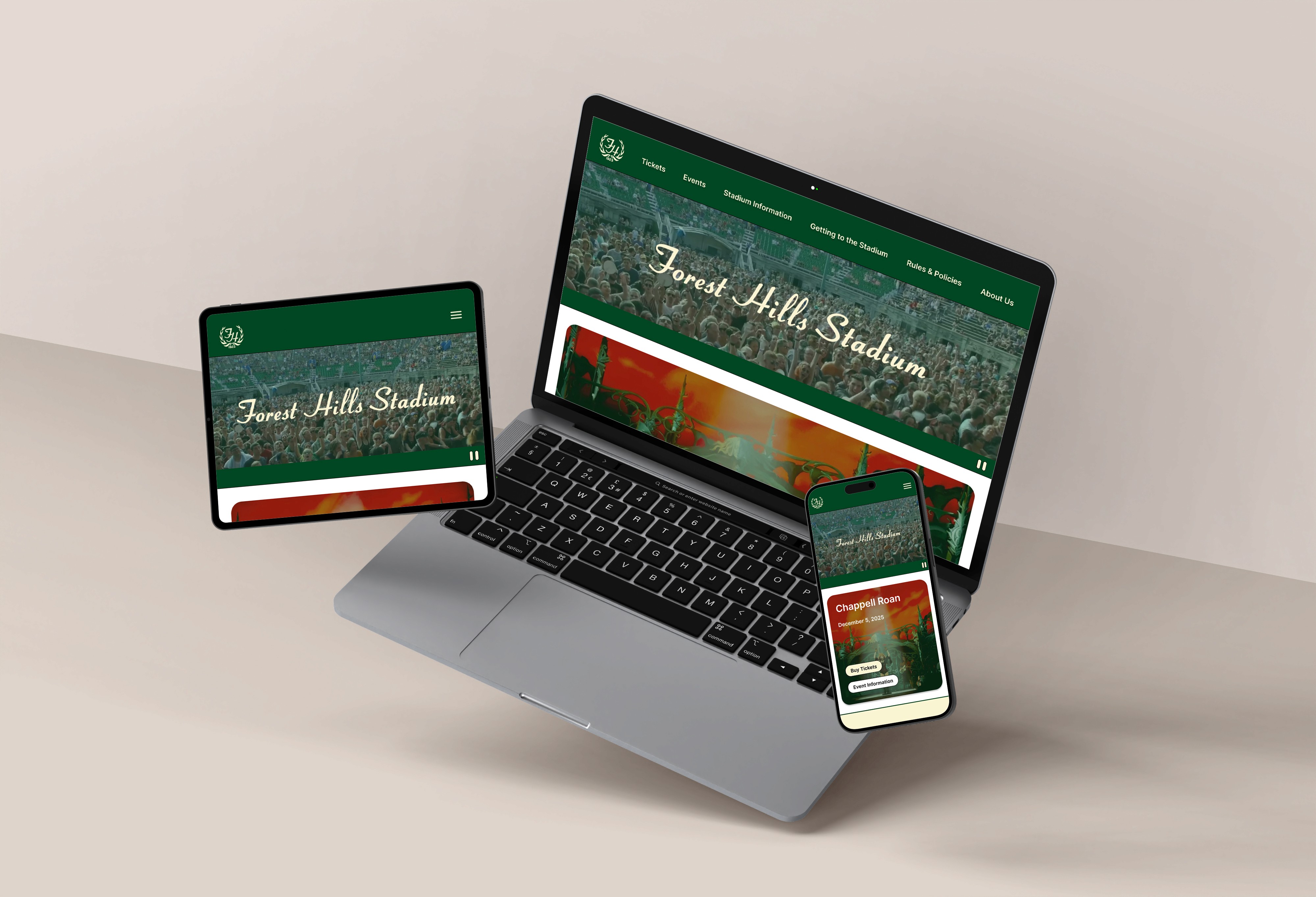
Forest Hills Stadium website on laptop, tablet, and phone showing green forest imagery and script typography

Tags:

UX/UI Design | Accessibility Research

Year:

2025

OVERVIEW

OVERVIEW

OVERVIEW

While Forest Hills Stadium delivers a world-class venue experience, its website tells a different story. From confusing information architecture to text-heavy pages and accessibility issues, there’s an opportunity to improve the website’s usability and brand identity.

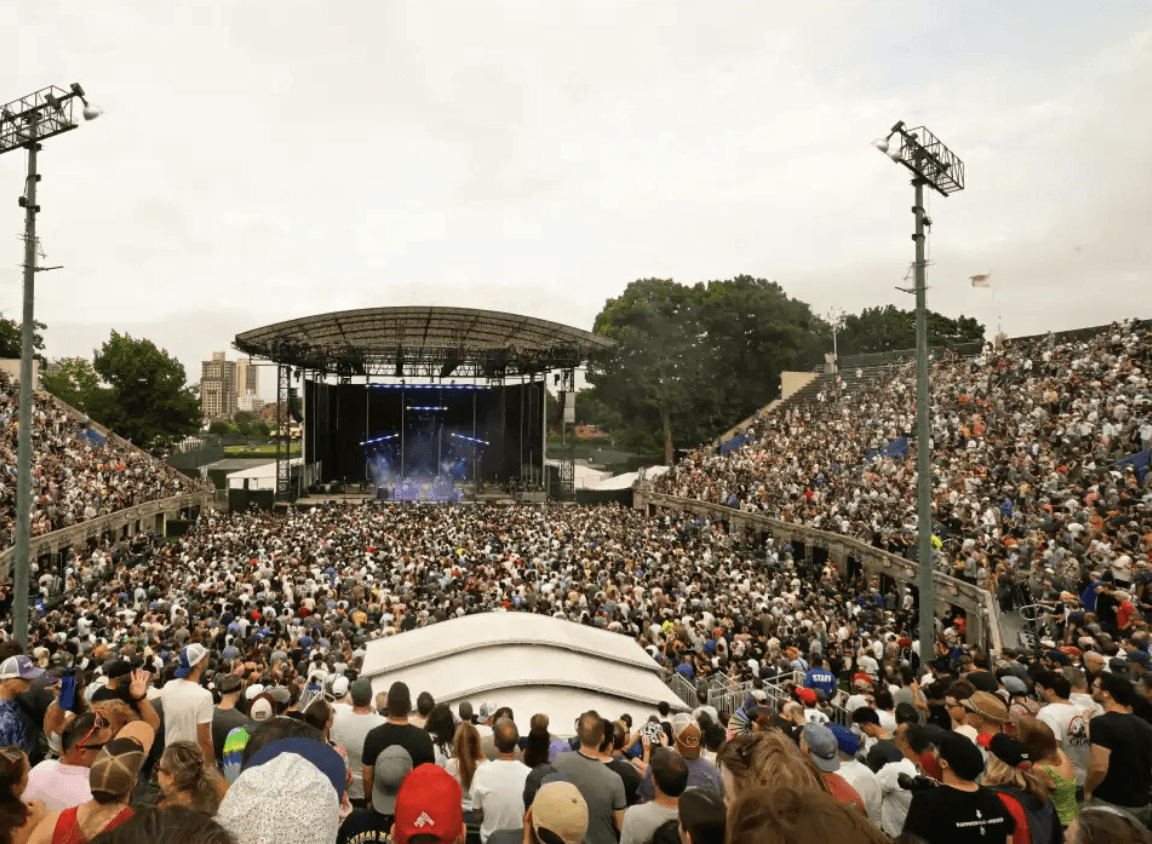
Packed concert crowd at Forest Hills Stadium viewing outdoor stage with trees and stadium lights at dusk

The Problem

For a venue that accommodates so many people physically, they should be able to do the same digitally.

Forest Hills Stadium has been a New York City landmark since 1923. It holds thousands of people, and offers accessible spaces and accommodations (e.g., accessible seating, sign language interpreters, and accessible restrooms). People from all backgrounds can come together here to experience concerts and community.

But their website says otherwise.

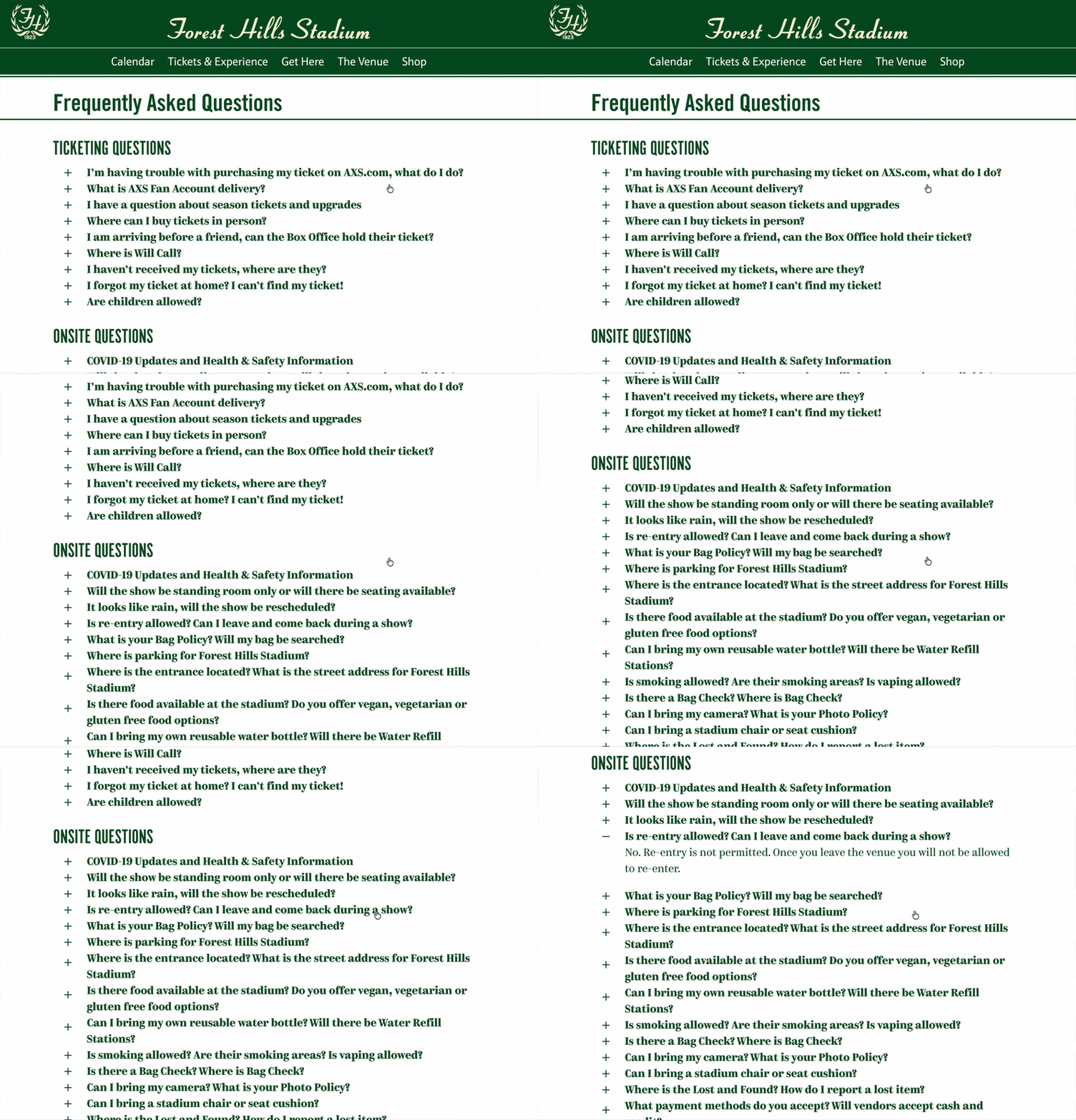
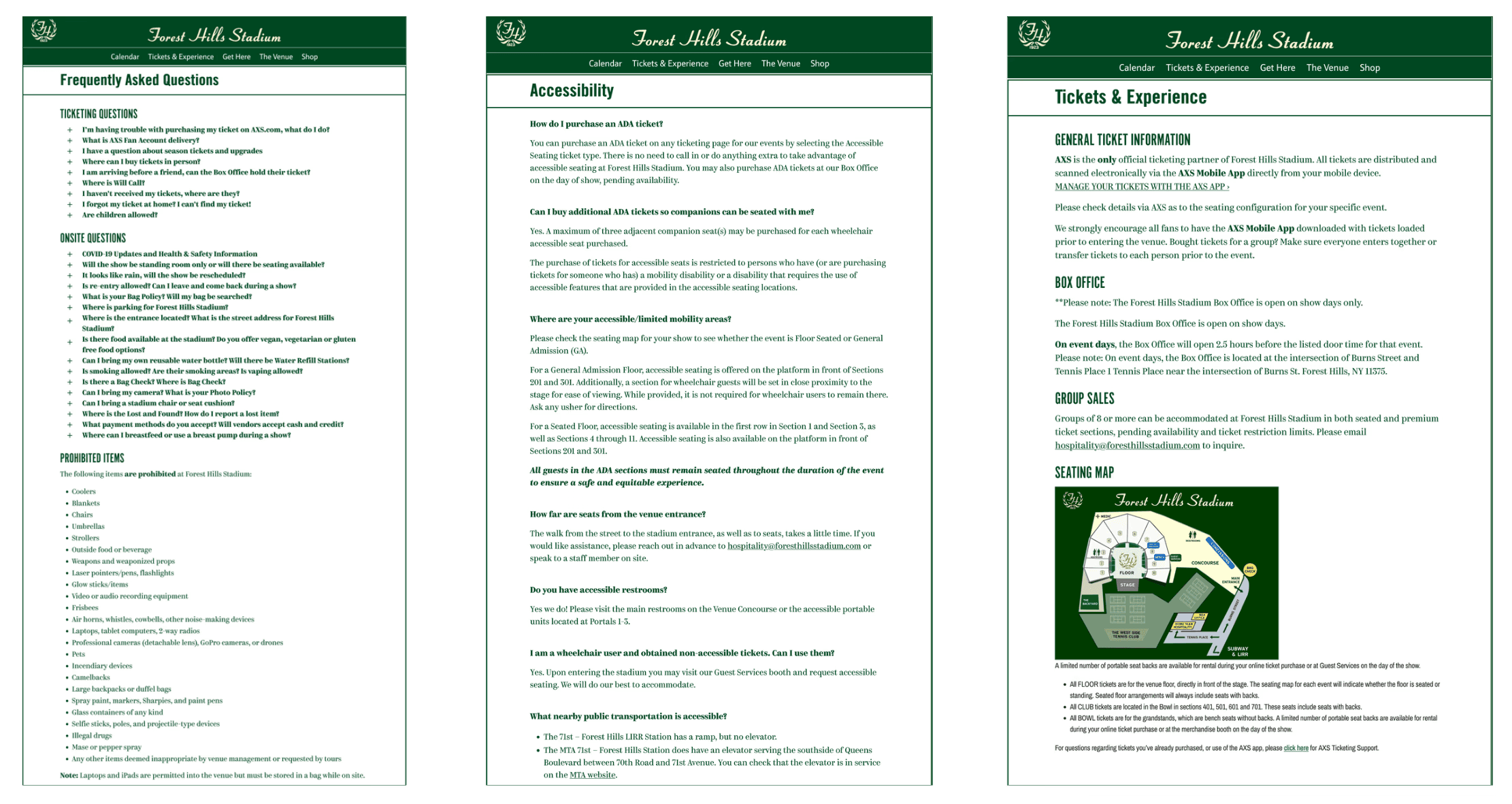
Three Forest Hills Stadium website pages: FAQ, Accessibility info, and Tickets & Experience with green headers and text-heavy layouts

Text Heavy Screens from Forest Hills Stadium’s Current Website

Text Heavy Screens from Forest Hills Stadium’s Current Website

Text Heavy Screens from Forest Hills Stadium’s Current Website

Tool(s) Used:
Figma logo

Figma

Figma

Figma

Miro logo

Miro

Miro

Miro

Marvel logo

Marvel

Marvel

Marvel

UX Metrics logo

UX Metrics

Have you ever visited a website and thought: "This website feels old or outdated?"
When we first visited their website, it felt outdated and disconnected from Forest Hills Stadium's brand. In the venue's other digital presences, like social media, they portray a strong sense of community, prominent branding, and display visitor engagement through their profile.

Designed with information scattered across pages, text-heavy pages, and no visual breathing room, Forest Hills Stadium's website feels less modern and engaging. But when I started digging deeper and audited the site for accessibility, I found the barriers weren't just visual

Original Forest Hills Stadium homepage with upcoming artist carousel and grid of upcoming event cards on green background

Original Forest Hills Homepage

Original Forest Hills Homepage

Original Forest Hills Homepage

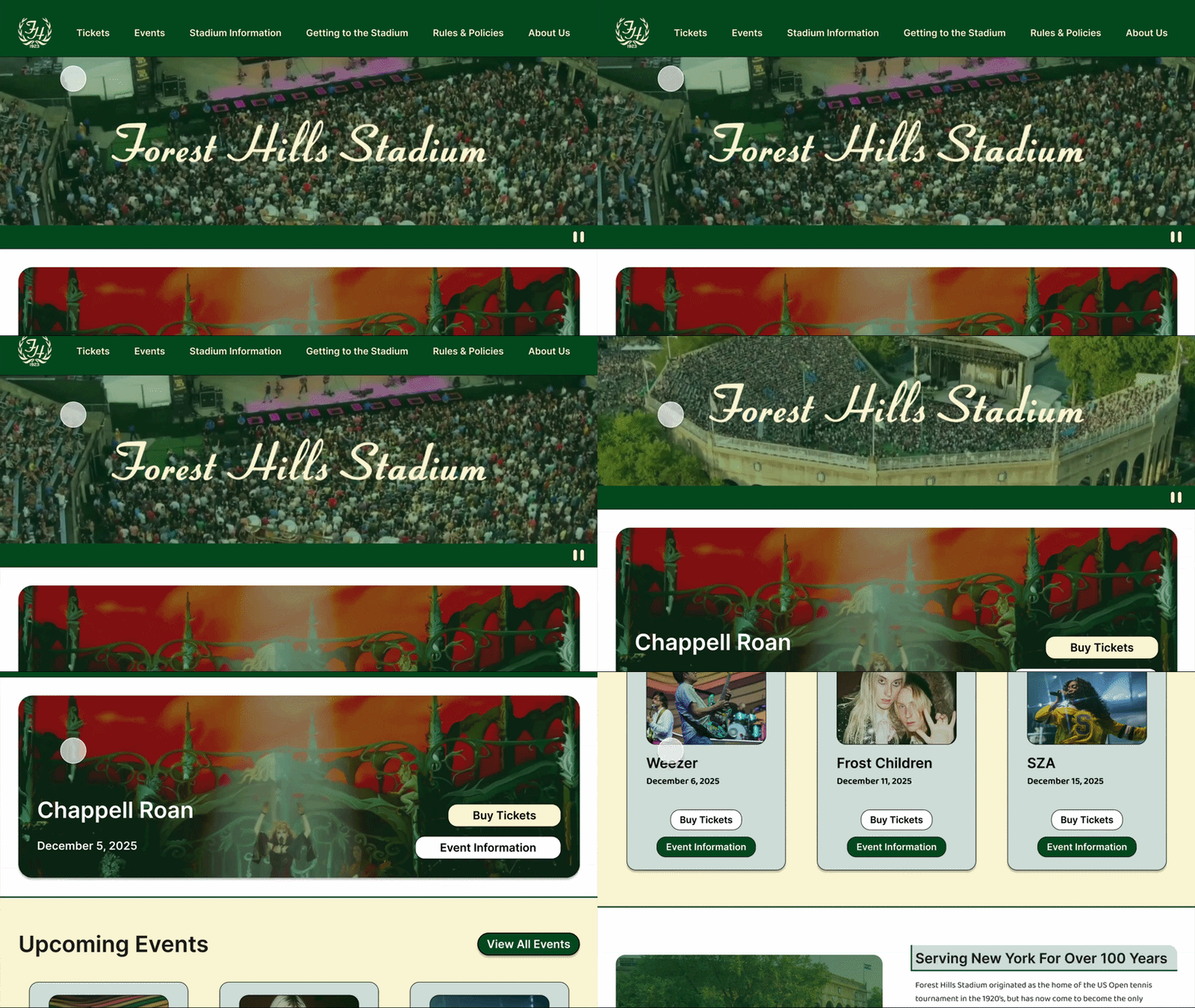
Redesigned Forest Hills Stadium homepage showing Chappell Roan event banner and upcoming concerts

Redesigned Forest Hills Homepage

Redesigned Forest Hills Homepage

Redesigned Forest Hills Homepage

ACCESSIBILITY AUDIT

ACCESSIBILITY AUDIT

ACCESSIBILITY AUDIT

Digital Barriers Identified

If their website is inaccessible and difficult to navigate, barriers to accessing essential information are created, excluding potential audiences from cultural experiences and causing user frustration. It directly impacts Forest Hills Stadium’s ability to serve the community.

Keyboard Navigation Failure

Dropdowns receive focus but don’t open, blocking keyboard-only users from subpages.

Dropdowns receive focus but don’t open, blocking keyboard-only users from subpages.

Dropdowns receive focus but don’t open, blocking keyboard-only users from subpages.

Content Locked Behind Interactions

FAQs can’t be opened without a mouse, hiding critical information from keyboard and screen reader users.

FAQs can’t be opened without a mouse, hiding critical information from keyboard and screen reader users.

FAQs can’t be opened without a mouse, hiding critical information from keyboard and screen reader users.

Insufficient Contrast

Hover states lack contrast, making links difficult or impossible to see.

Hover states lack contrast, making links difficult or impossible to see.

Hover states lack contrast, making links difficult or impossible to see.

Missing Semantic Structure

Visual headings aren’t coded as headings, preventing screen reader users from navigating the page structure.

Visual headings aren’t coded as headings, preventing screen reader users from navigating the page structure.

Visual headings aren’t coded as headings, preventing screen reader users from navigating the page structure.

Difficult Discoverability

Important details are spread across dense pages, forcing users to hunt for content.

Important details are spread across dense pages, forcing users to hunt for content.

Important details are spread across dense pages, forcing users to hunt for content.

Accessibility Audit Results

To get a better picture of the overall accessibility, I conducted a small-scale accessibility audit. While remediating many of the issues was out of the scope of the project, identifying major accessibility failures helped inform the direction and priorities of the redesign

Identified Accessibility Issue & WCAG Success Criterion (Level)

  • Insufficient link color contrast on hover: WCAG 1.4.3 (Level AA), 1.4.11 (Level AA)

  • Text fields styled to resemble buttons: WCAG 1.3.1 (Level A), 3.2.4 (Level AA)

  • Focus visible failure (elements receive focus without a visual indicator): WCAG 2.4.7 (Level AA)

  • Linked images missing alternative text (e.g., header logos): WCAG 1.1.1 (Level A), 2.4.4 (Level A)

  • Low-quality or duplicate alternative text: WCAG 1.1.1 (Level A)

  • Document language not defined in HTML: WCAG 3.1.1 (Level A)

  • Text styled as headings without semantic markup: WCAG 1.3.1 (Level A), 2.4.1 (Level A), 2.4.6 (Level AA)

  • Adjacent links pointing to the same destination: WCAG 2.4.4 (Level A)

  • Missing H1 heading: WCAG 1.3.1 (Level A), 2.4.6 (Level AA)

  • No "Skip to main content" mechanism: WCAG 2.4.1 (Level A)

  • Navigation dropdowns inaccessible via keyboard: WCAG 2.1.1 (Level A)

  • FAQ accordions cannot be opened using a: WCAG 2.1.1 (Level A), 2.4.3 (Level A)

CONTENT STRATEGY

CONTENT STRATEGY

CONTENT STRATEGY

Accessibility As A Content Strategy

Accessibility As A Content Strategy

The website was actively preventing people from accessing information they needed to attend the venue easily and comfortably.

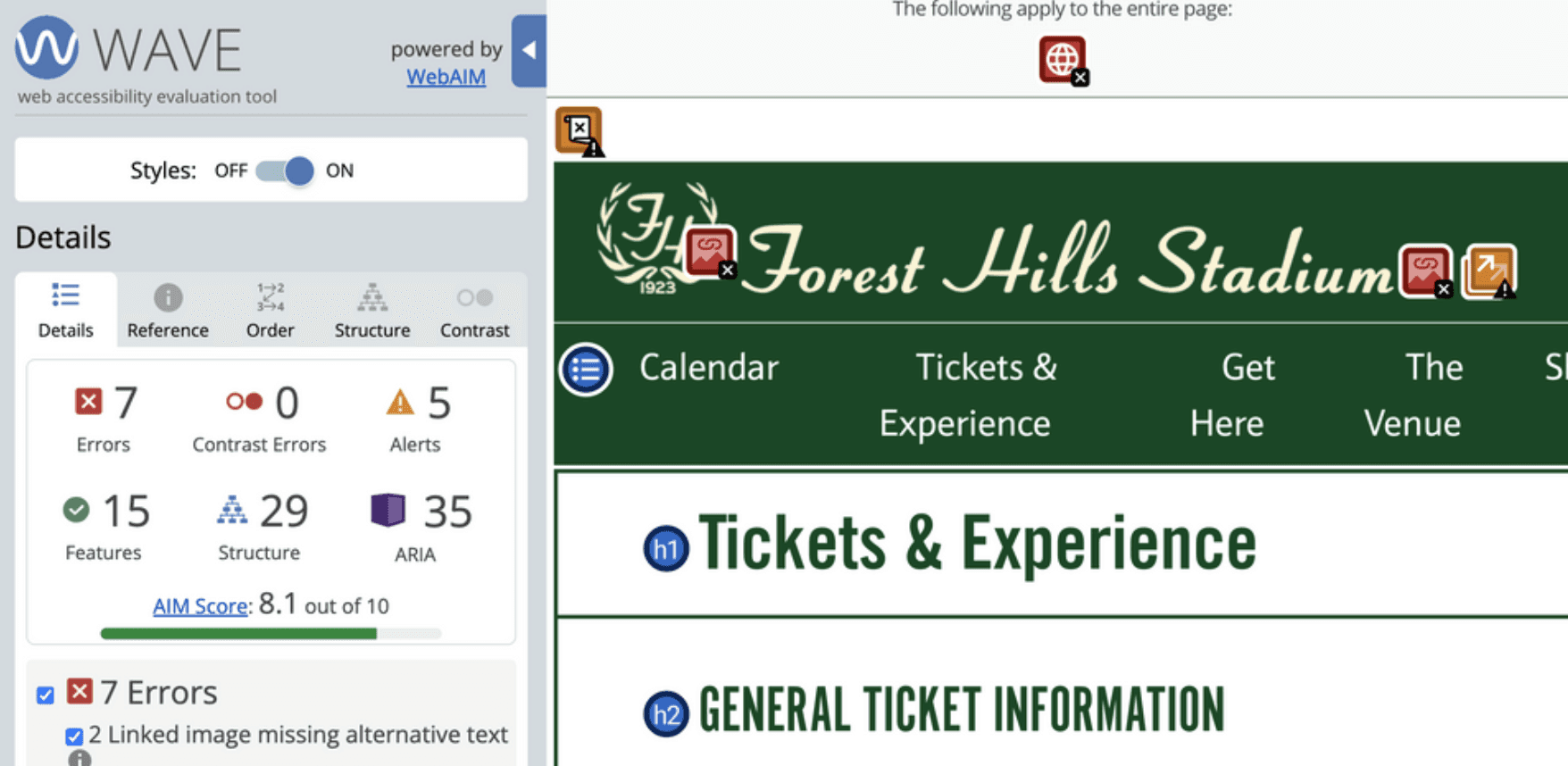
WAVE accessibility report showing 7 errors, 0 contrast errors, 5 alerts, and 8.1 AIM score for Forest Hills Stadium Tickets page

WebAIM WAVE Report

WebAIM WAVE Report

WebAIM WAVE Report

Accessibility isn’t separate from content strategy. It is content strategy. What I realized from this audit is that these aren't separate accessibility problems; they're structural problems. The website wasn't organized for how people actually think about attending a concert. It was organized in whatever way made internal sense, without considering the diverse needs and mental models of the people trying to use it.

And that became the starting point for this project:

How do we design a website that actually serves visitors through usability and inclusive design?

Redesigned Stadium Information page mockup with hero image of empty stadium seating and stadium map diagram on green background

Redesigned Stadium Information Page

Redesigned Stadium Information Page

Redesigned Stadium Information Page

Prioritizing Understanding Before Anything

Prioritizing Understanding Before Anything

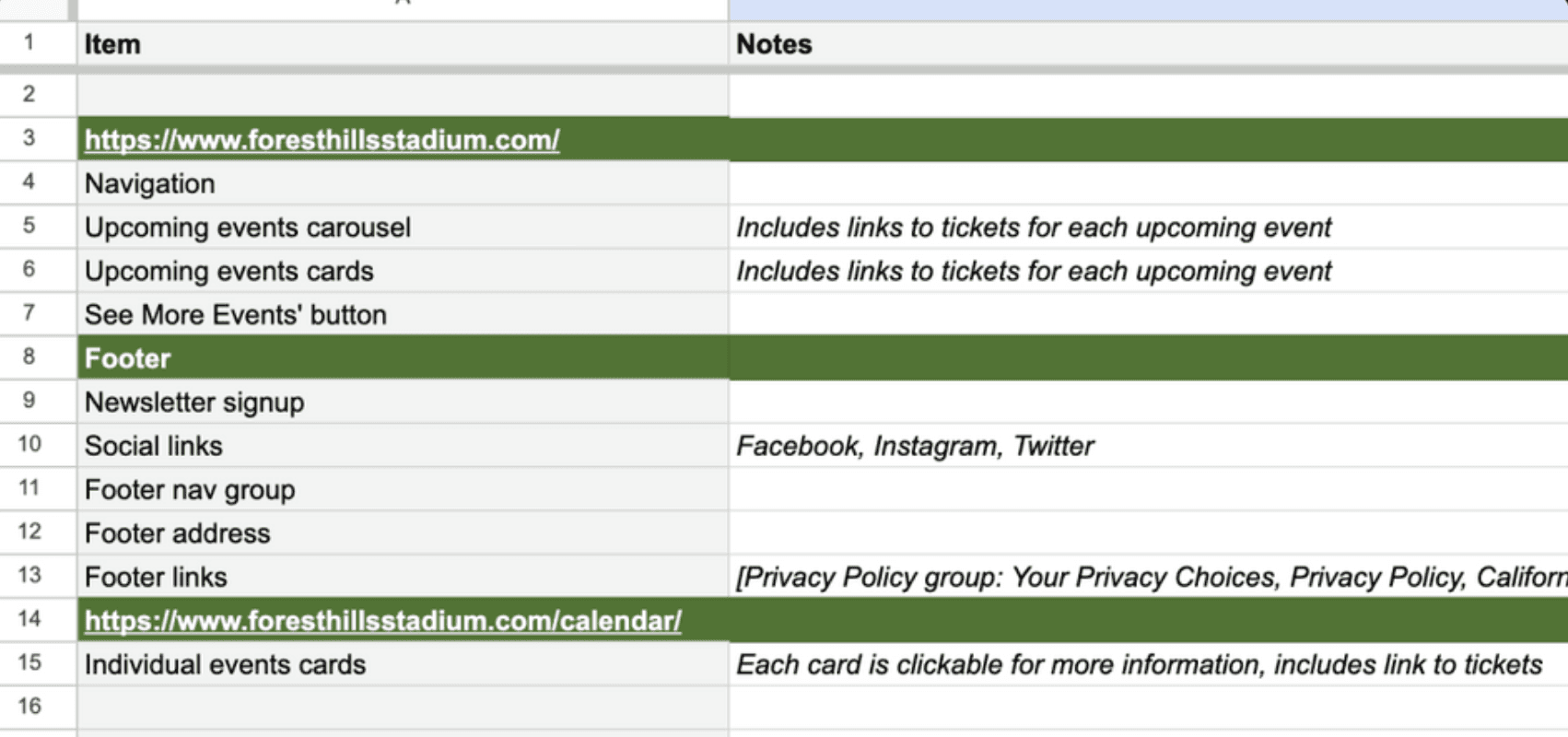
We made a sitemap to visualize the site and created an organized content audit inventory in a sheet based on the original web pages. Because there was overlap between content items, we only included one instance of each content item. Using this list, we grouped some repetitive items into single instances of the content for clarity (e.g., 'Upcoming events carousel + Upcoming events cards' → 'Upcoming events'). We included broader themes of the content from the FAQ as cards in the hope of being able to redistribute the information, decentralizing it from just a catch-all FAQ section.

Content inventory spreadsheet showing homepage navigation items, footer elements, and calendar page components with notes

Content Inventory Sheet

Content Inventory Sheet

Content Inventory Sheet

To become subject matter experts, we took inventory of all sections of the Forest Hills Stadium website. I also researched the venue further to gain a deeper understanding of its historical relevance and more context before moving into the redesign.

USER RESEARCH

USER RESEARCH

USER RESEARCH

User Research to Avoid Assumptions and Meet Users’ Needs
To avoid assumptions and identify user needs, we conducted a card sort with the compiled content. Once we set up the card sort, we conducted a pilot study and removed some extraneous cards for our final card sort.

Participant results and agreement scores provided a valuable foundation for beginning to piece together our initial IA. We created tentative navigation categories and placed the cards under each based on how often participants placed them in related categories, color-coding cards based on agreement percentages.


To avoid assumptions and identify user needs, we conducted a card sort with the compiled content. Once we set up the card sort, we conducted a pilot study and removed some extraneous cards for our final card sort.

Participant results and agreement scores provided a valuable foundation for beginning to piece together our initial IA. We created tentative navigation categories and placed the cards under each based on how often participants placed them in related categories, color-coding cards based on agreement percentages.

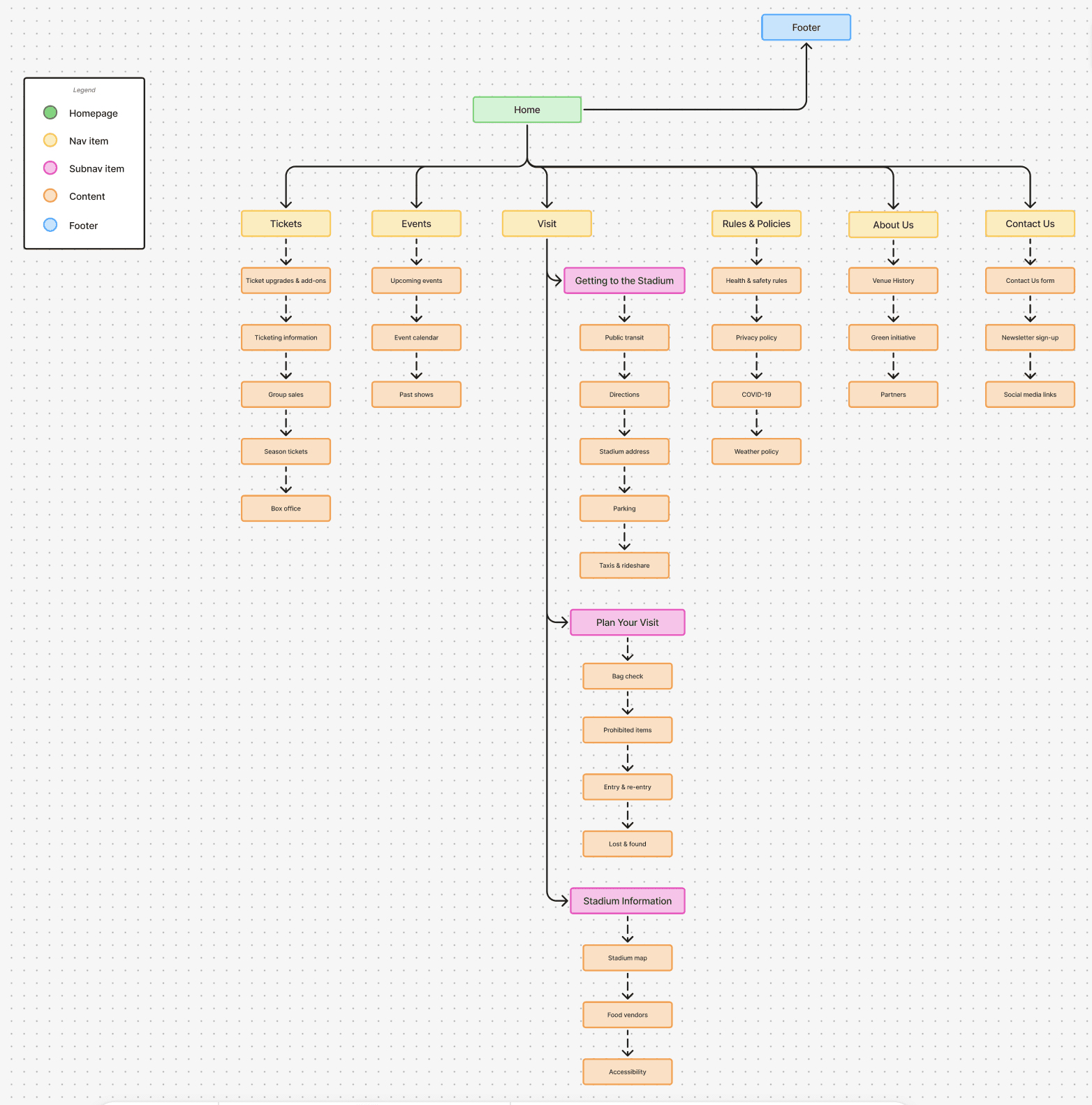
Initial website redesigned sitemap showing homepage branching to Tickets, Events, Visit, Rules & Policies, About Us, and Contact sections

Sitemap after Card Sort

After seeing how many cards were broadly related to visiting the venue, we decided to consolidate those under a ‘Visit’ tab to make them all accessible from one section.

We also changed the names of a few content items in response to comments about potential confusion. We then finalized our initial IA in a way we felt was logical, focusing on content relation and user feedback. The revised IA was then used as the basis for our tree test.

USER TESTING

USER TESTING

USER TESTING

Testing our Proposed IA

To confirm the usability of our proposed IA conducted a tree test, using neutral, non-guiding language. Overall success scores were lower than expected; clear patterns emerged.

We analyzed both successful and unsuccessful user paths from the tree test, looking beyond success scores to understand why users made certain navigation choices. These insights informed a revised information architecture that prioritizes clarity, consistency, and intuitive grouping.

Design decision informed by research:


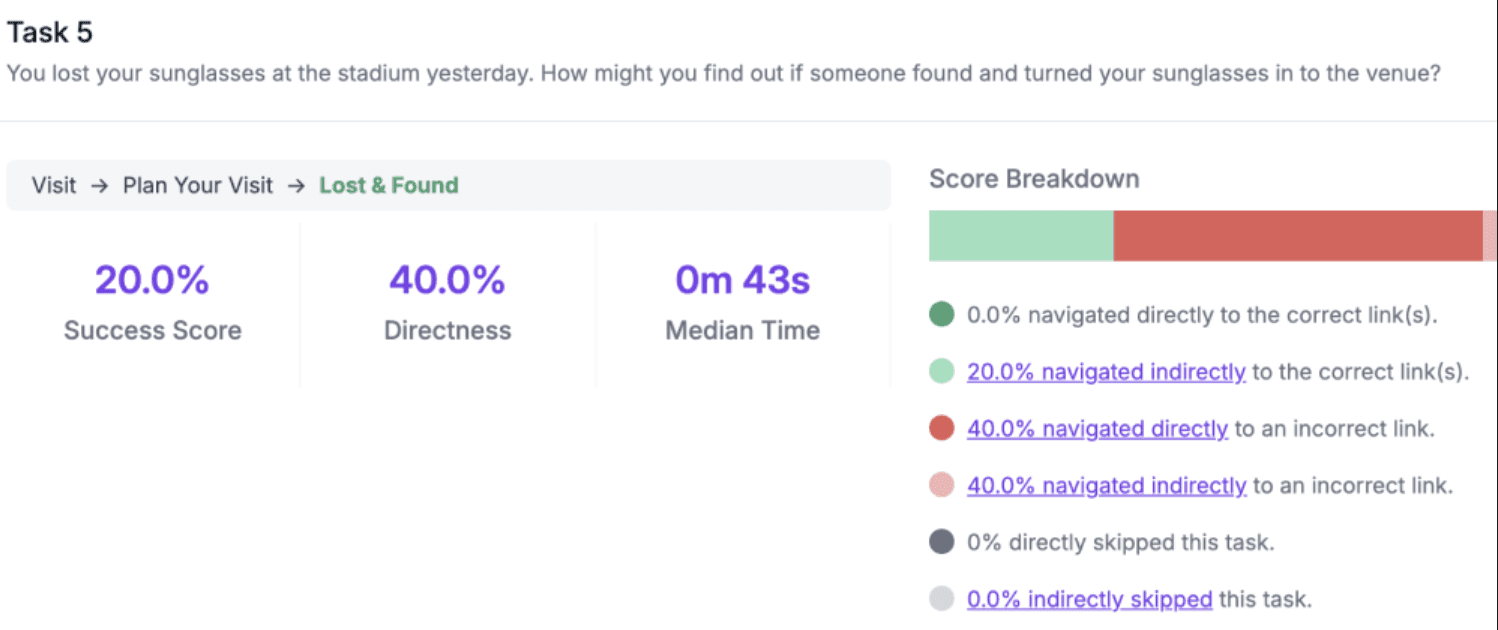
For example, users who answered the Lost & Found question incorrectly tended to look at the ‘Contact Us’ category instead. This showed us how some users’ mental models were to contact the venue before looking for a ‘Lost & Found’ section on the site.

To confirm the usability of our proposed IA conducted a tree test, using neutral, non-guiding language. Overall success scores were lower than expected; clear patterns emerged.

We analyzed both successful and unsuccessful user paths from the tree test, looking beyond success scores to understand why users made certain navigation choices. These insights informed a revised information architecture that prioritizes clarity, consistency, and intuitive grouping.

Design decision informed by research:


For example, users who answered the Lost & Found question incorrectly tended to look at the ‘Contact Us’ category instead. This showed us how some users’ mental models were to contact the venue before looking for a ‘Lost & Found’ section on the site.

To confirm the usability of our proposed IA conducted a tree test, using neutral, non-guiding language. Overall success scores were lower than expected; clear patterns emerged.

We analyzed both successful and unsuccessful user paths from the tree test, looking beyond success scores to understand why users made certain navigation choices. These insights informed a revised information architecture that prioritizes clarity, consistency, and intuitive grouping.

Design decision informed by research:


For example, users who answered the Lost & Found question incorrectly tended to look at the ‘Contact Us’ category instead. This showed us how some users’ mental models were to contact the venue before looking for a ‘Lost & Found’ section on the site.

Tree test results for Task 5: finding lost sunglasses shows 20% success, 40% directness via Visit > Plan Your Visit > Lost & Found path

Least Successful Task from Tree Test

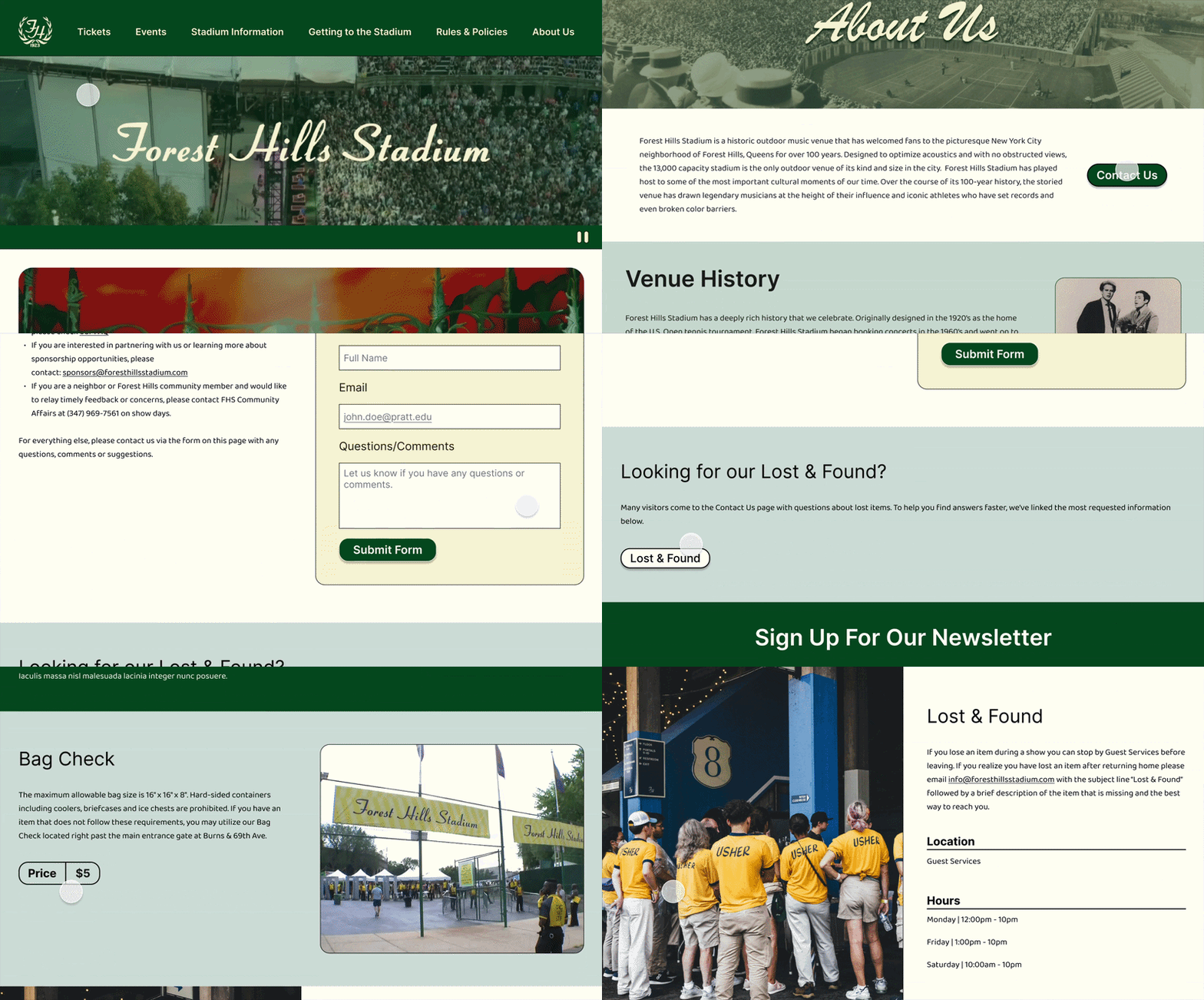
Redesigned Lost & Found section showing ushers at stadium entrance with location, hours, and contact information

Redesign: Lost & Found section on “Stadium Information” page

Redesigned Contact Us page with hero image and form, featuring Lost & Found link at bottom for visitors seeking lost items information

Redesign: Lost & Found section linked to on “Contact Us” page

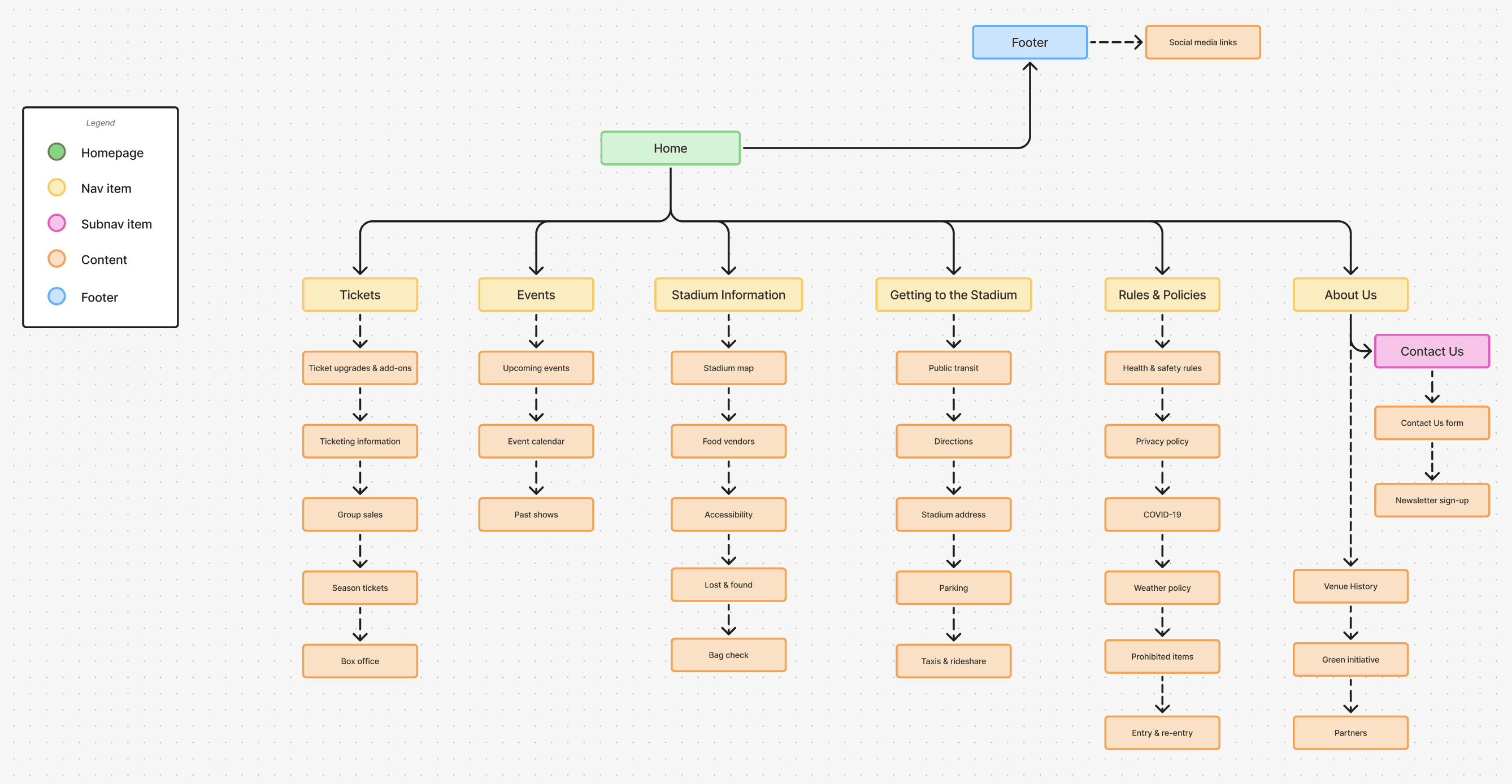
We found that content got hidden in sub navigation, which is what we wanted to avoid entirely → so we redistributed content sections to have a flat navigation.

Based on these findings, we reduced hidden sub-navigation and moved to a flatter structure. Content previously grouped under Visit was redistributed, with Stadium Information and Getting to the Stadium promoted to the main navigation.

Final proposed information architecture sitemap showing a flatter single level navigation

Revised Proposed IA (flattened navigation)

Revised Proposed IA (flattened navigation)

Revised Proposed IA (flattened navigation)

Because the site’s complexity is lower, and we aren’t working with extensive content, flat navigation seemed like a good approach based on our tree test and providing the users access to all sections immediately.

What Users Taught Us About Accessibility

Conducting user research, testing, and learning more about user expectations helped us re-evaluate the first version of our revised IA.

This helped us create a blueprint for a successful redesign, one that will meet the needs of website visitors and potential visitors.

Research insight revealed how users think. It showed us the mental model that makes the most sense, the structure that requires the least cognitive effort. When you design for that, everyone benefits.

Accessibility isn't primarily about colors, contrast, or alt text, though those things matter. Accessibility should inform the structure from the start. When you ask:

How is this information organized?

Does it work for people with different needs?

Does the structure match how people actually think?

....you solve accessibility problems at the foundation.

ACCESSIBILITY EVALUATION

ACCESSIBILITY EVALUATION

ACCESSIBILITY EVALUATION

How Accessibility Informed Design Decisions

When moving into the design phase, we prioritized visual clarity and accessibility best practices.

Simplified Navigation Structure

Simplified Navigation Structure

All main navigation items are visible at the same level. With less complexity and easier implementation of focus states, navigating the site becomes simpler and more predictable.

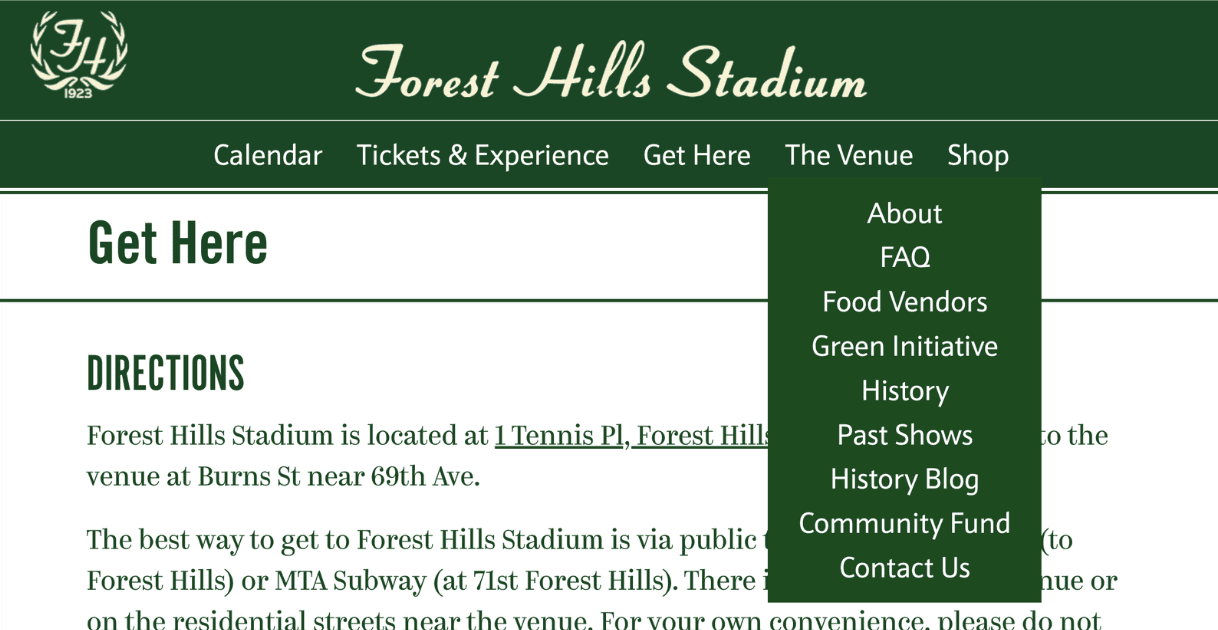
Original lengthy navigation showing 'Get Here' dropdown menu with items: About, FAQ, Food Vendors, Green Initiative, History, Past Shows, etc.

Original: Navigation, with Venue navigation dropdown open

Redesigned navigation bar with six clear sections: Tickets, Events, Stadium Information, Getting to the Stadium, Rules & Policies, About Us

Redesign: Flattened global navigation

Improved Link Visibility and Contrast

Improved Link Visibility and Contrast

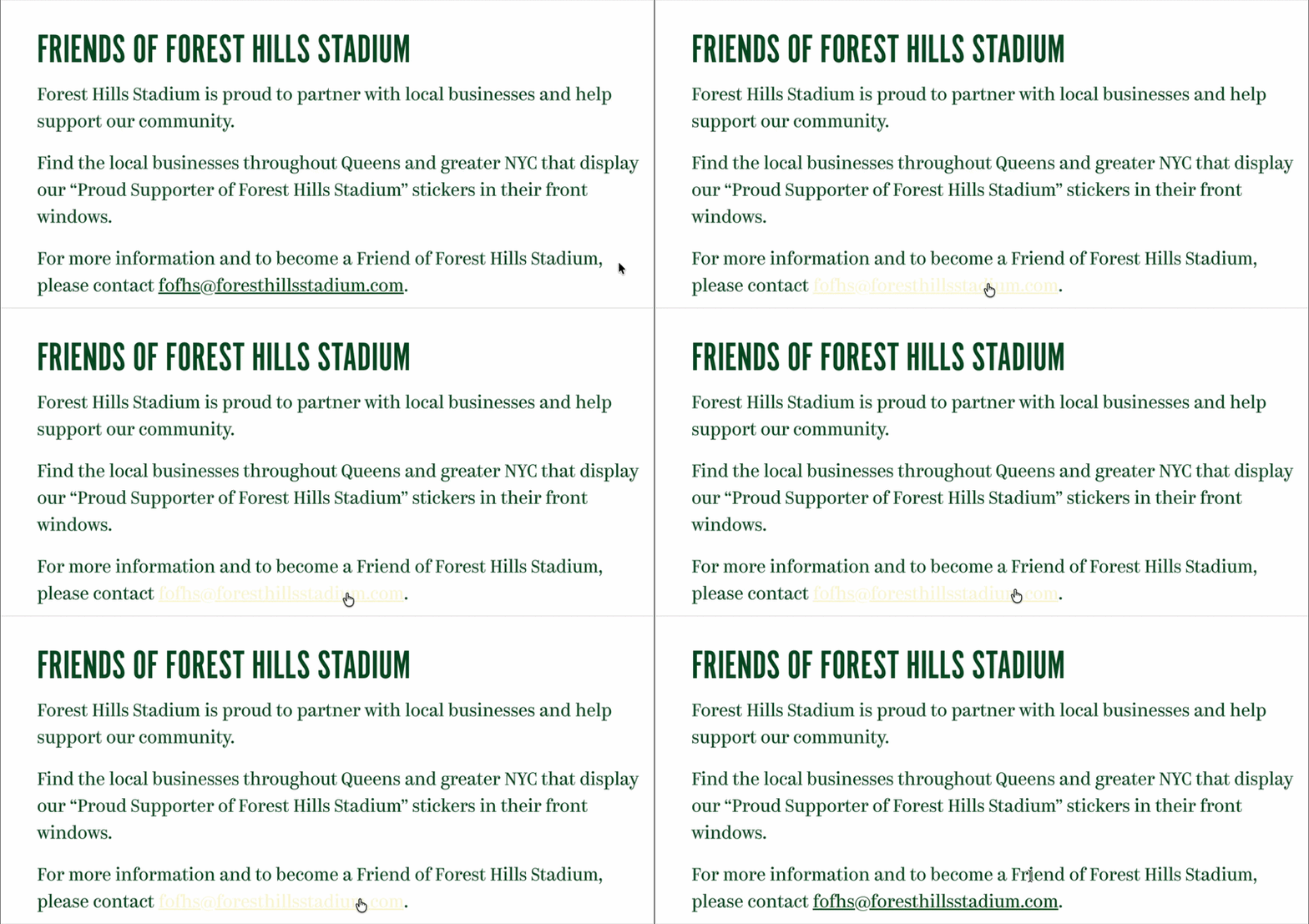
Users with low vision will have a harder time identifying what they're about to click when hovering on links on the original version of the site due to low contrast.

We aimed to:

  • Resolve all contrast issues

    • Improve color contrast to meet WCAG AA standards

  • Use multiple indicators (color + underline, color + styling)

    • Color isn't the only way to communicate a state

Original link design with underline (green text on a white background)

Original: Link

Redesigned  link design with underline (black text on a white background)

Redesign: Link

Original link on hover design (beige text on a white background), with almost no contrast

Original: Inaccessible link contrast on hover
Redesigned link on hover (bold dark-green text on a white background), with sufficient contrast

Redesign: Accessible link contrast on hover

Semantic Structure and Scannable Content

Semantic Structure and Scannable Content

Text is styled as headings but not marked as headings in HTML. On the homepage, there is no H1 present as well, making it difficult for screen readers to understand the document structure.

We aimed to include:

  • Proper heading hierarchy (H1, H2, H3) with styles and consistent sizing in the style guide

  • Form fields with associated labels

  • Descriptive link text

  • Proper semantic structure also helps sighted users. When you scan a page visually, you're using headings to understand organization.

Original homepage showing carousel with event and four upcoming event cards in grid below on green background

Original: Homepage (top-half)

Redesigned homepage with hero carousel showing next upcoming concert and 'Upcoming Events' heading with event cards below

Redesign : Homepage (top-half)

Original bottom half of homepage with newsletter signup form, social media icons, and extensive footer navigation on dark green background

Original: Homepage (bottom-half)

Redesigned bottom half of homepage showing event cards, 'Serving New York' section, 'Historic Venue' section, and simplified footer with social icons

Redesign : Homepage (bottom-half)

Other Accessible Design Practices

Visual Separation

Dense, unbroken text increases cognitive load and makes content difficult to scan. Clear visual separation helps users focus, understand hierarchy, and move through content comfortably.

  • Section breaks and spacing, Meaningful headings throughout, White space and breathing room, Bulleted lists instead of dense paragraphs, Related content grouped together

Consistency & Predictability

Consistency & Predictability

Consistency & Predictability

Dense, unbroken text increases cognitive load and makes content difficult to scan. Clear visual separation helps users focus, understand hierarchy, and move through content comfortably.

  • Same primary navigation on every page, Consistent footer structure, Unified button styles and form fields, Predictable interactions site-wide

DESIGN SYSTEM & BRANDING

DESIGN SYSTEM & BRANDING

DESIGN SYSTEM & BRANDING

Building the Design System & Branding

Building the Design System & Branding

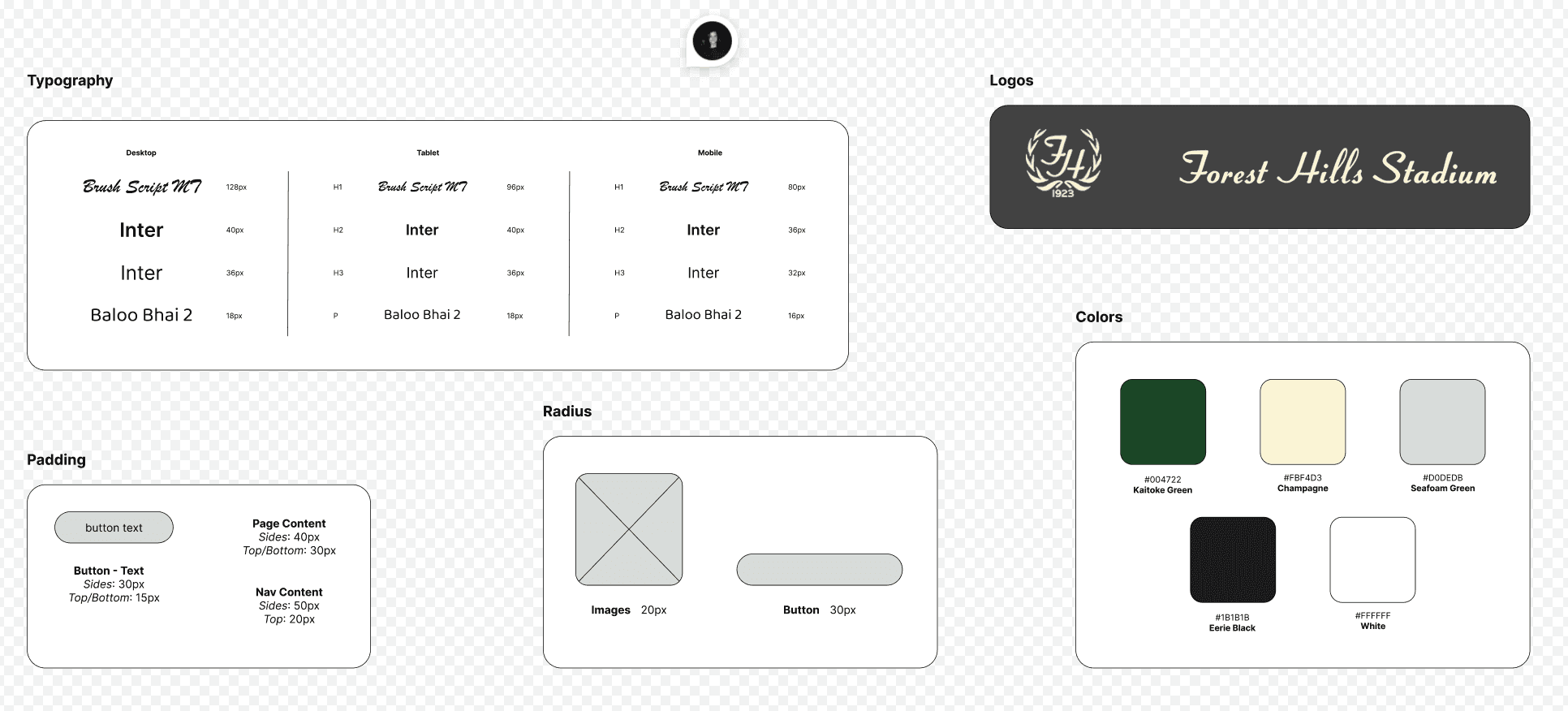
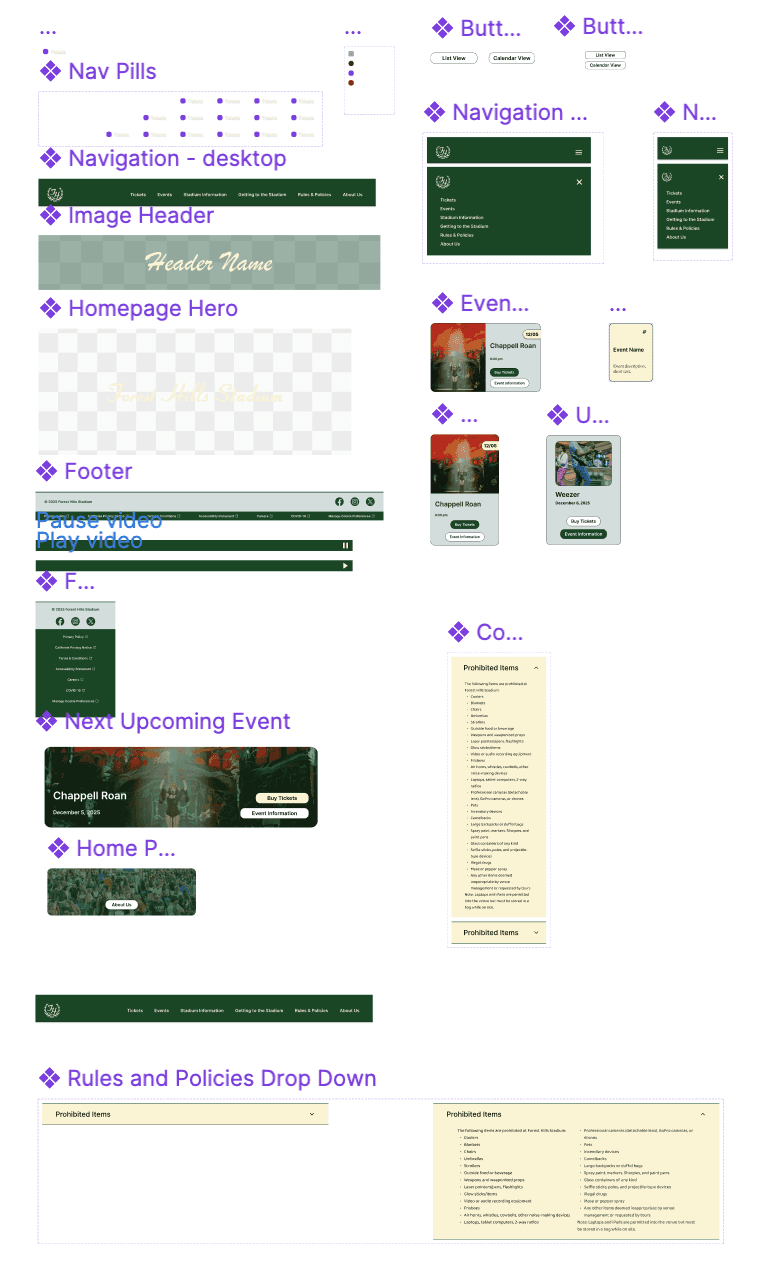
I created a style guide, which helped form the design system we maintained for the redesign. I aimed to embed accessibility into the design system, along with the style guide. I ensured components that followed WCAG 2.1 A/AA rules. The style guide and design system helped us build more prominent branding.

When accessibility is built into the system, it becomes the default.

Properly labeled form fields and buttons

Minimum 44×44px touch targets for easier interaction

Minimum 44×44px touch targets for easier interaction

Auto layout ensures consistency across breakpoints

Auto layout ensures consistency across breakpoints

Scalable type with 1.5+ line height for readability

Scalable type with 1.5+ line height for readability

Color combinations tested for sufficent contrast

Color combinations tested for sufficent contrast

Creating a style guide improved branding and consistency for a website that felt disconnected, generic, and outdated.

Design system showing component library including navigation, buttons, headers, event cards, footer, and dropdown menus in green and cream

Design System

Design System

Design System

Style guide displaying typography scales, Forest Hills Stadium logos, padding specs, border radius examples, and color palette swatches

Style Guide

Style Guide

Style Guide

WIREFRAME TO PROTOTYPE

WIREFRAME TO PROTOTYPE

WIREFRAME TO PROTOTYPE

We Started With Pen & Paper

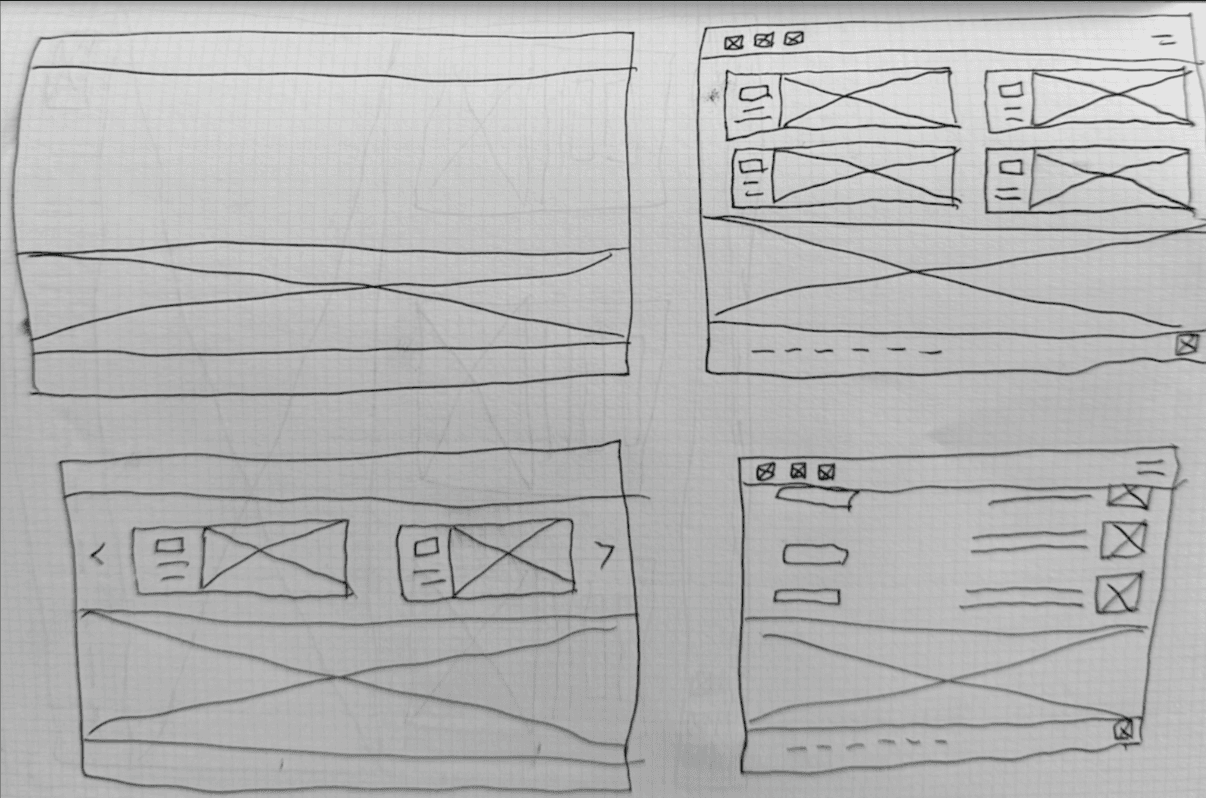
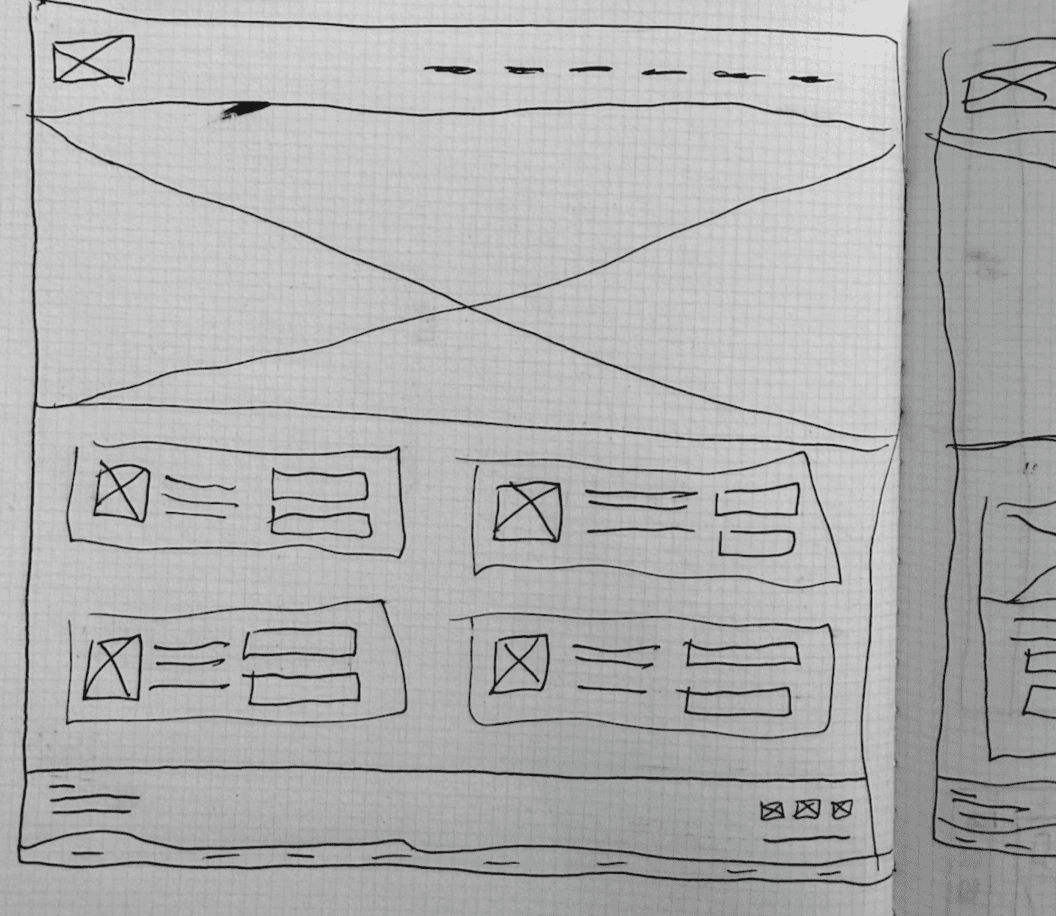
Before moving into any fidelity level, we rapidly produced drawn-out wireframes to brainstorm.

This gave us a starting point before moving into the low-fidelity prototypes.

Hand-drawn wireframe sketches showing four responsive layout variations: mobile, tablet, desktop with event carousel and grid layouts

Ex. 1: Hand-drawn wireframes

Ex. 1: Hand-drawn wireframes

Ex. 1: Hand-drawn wireframes

Hand-drawn wireframe sketch of homepage layout with hero section, navigation bar, and four event cards in grid below with footer

Ex. 2: Hand-drawn wireframes

Ex. 2: Hand-drawn wireframes

Ex. 2: Hand-drawn wireframes

Users Validated the Approach

From testing the low-fidelity prototype with users. We conducted a pilot study to confirm our protocol. The pilot study allowed us to discover confusing language in the tasks. Once revised, we tested the low-fidelity prototype with two users. When testing the lo-fidelity protocol with the revised protocol, both users had ease navigating the site and completing tasks.

"I found things where I expected to find them."

-User 1

"I didn't have to think too hard about completing the tasks."

-User 2

Task Completion: 100% (vs. 58% with nested structure)

When we tested the low-fidelity prototype with users, they confirmed what the research suggested. The flattened, task-based structure worked intuitively. People navigated naturally. No one got lost.
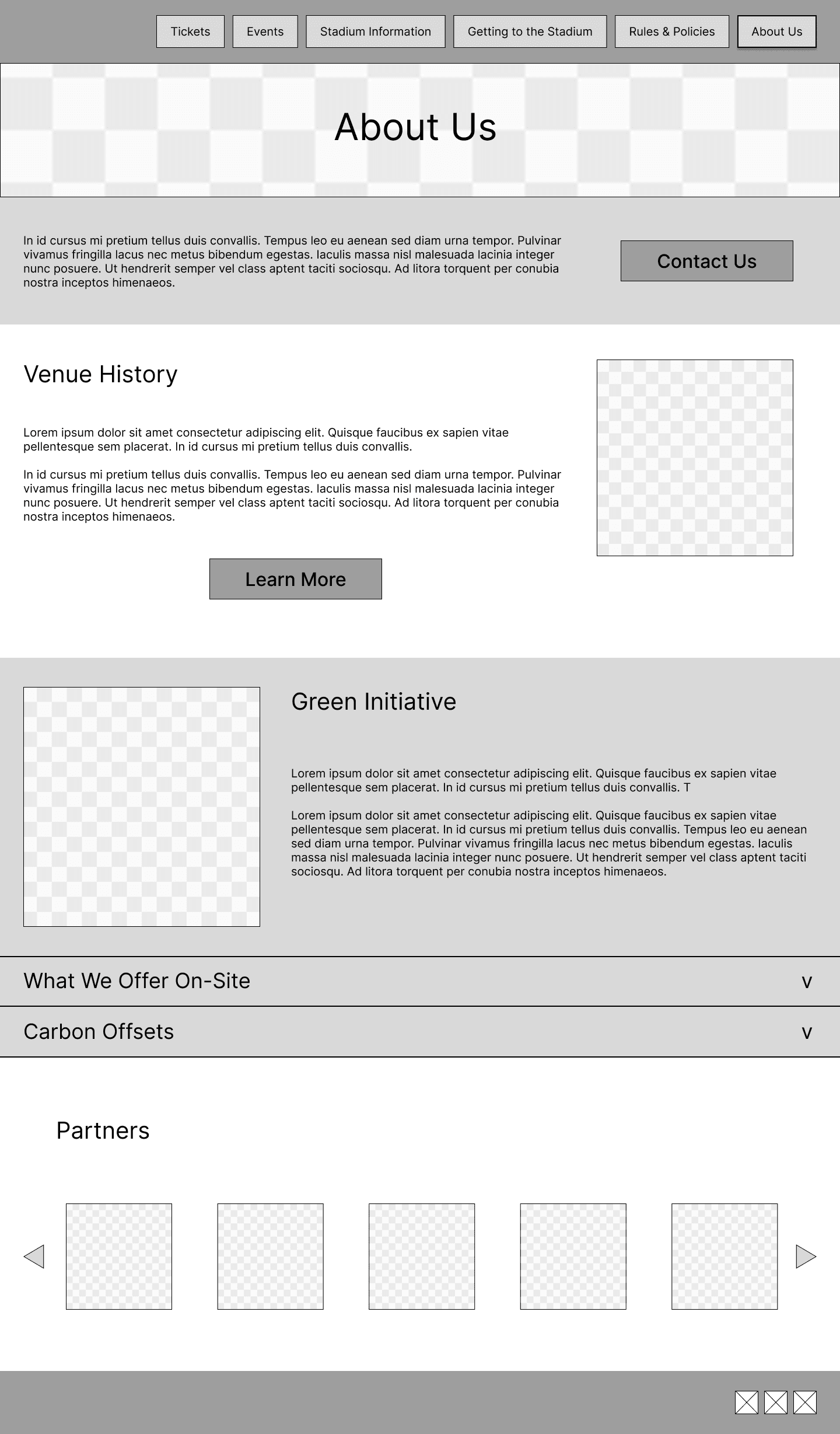
Low-fidelity wireframe of About Us page showing Venue History, Green Initiative sections, dropdown accordions, and Partners carousel

Redesign: About Us Lo-Fi

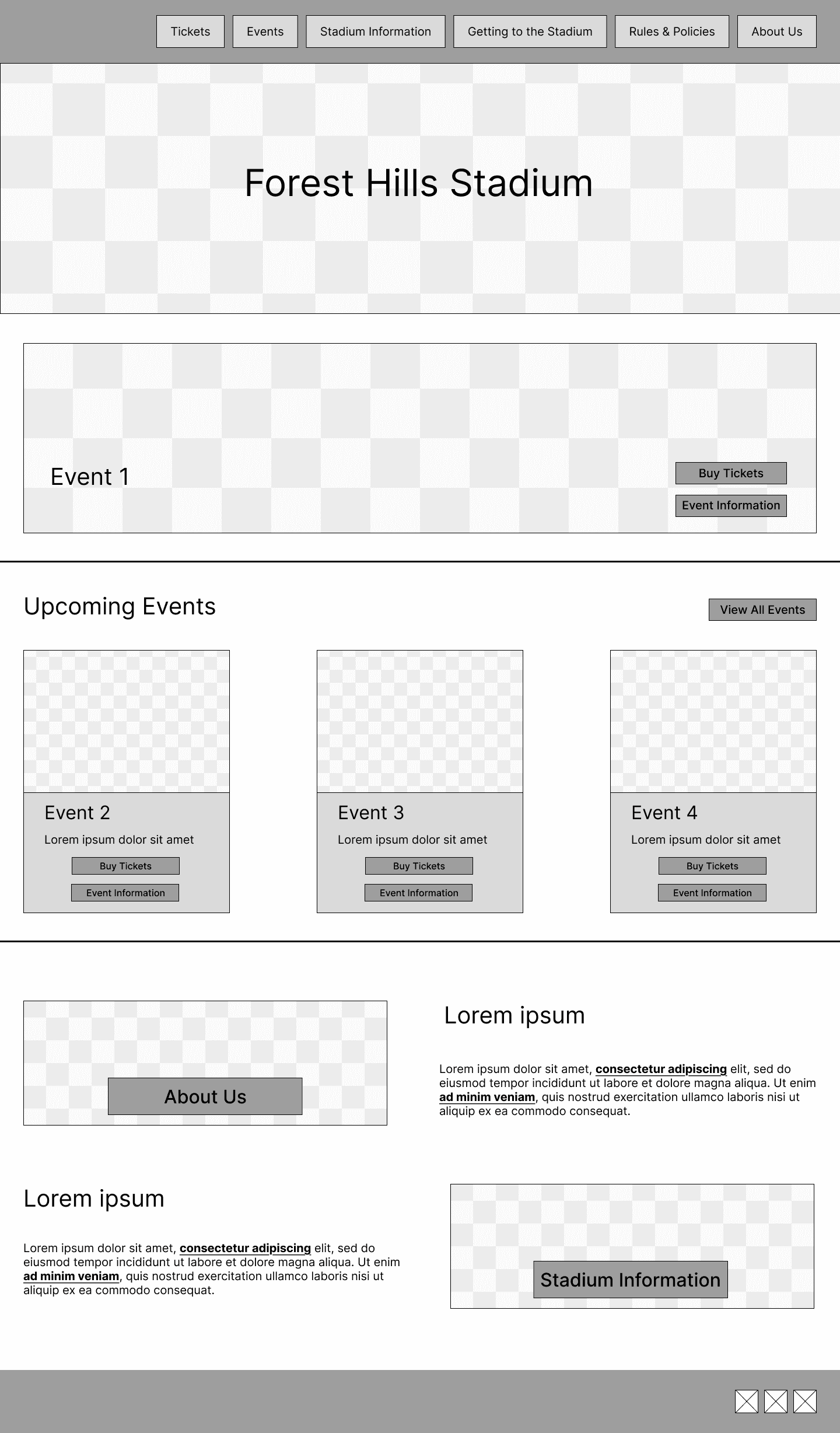
Low-fidelity wireframe of Homepage with hero section, featured event, Upcoming Events grid, and About Us/Stadium Information sections

Redesign: Home Lo-Fi

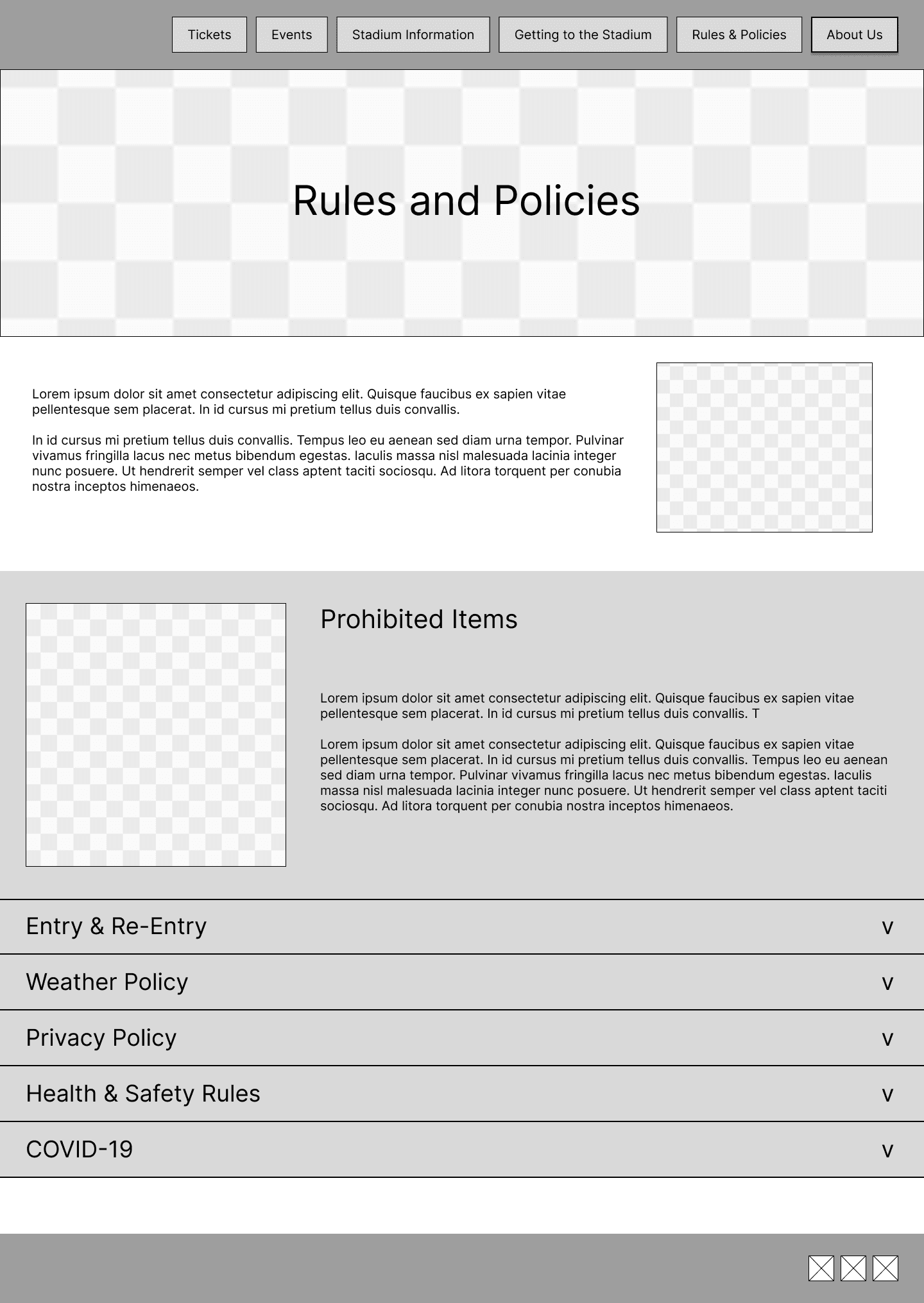
Low-fidelity wireframe of Rules & Policies page with intro text, Prohibited Items section, and accordion dropdowns for various policies

Redesign: Rules & Policies Lo-Fi

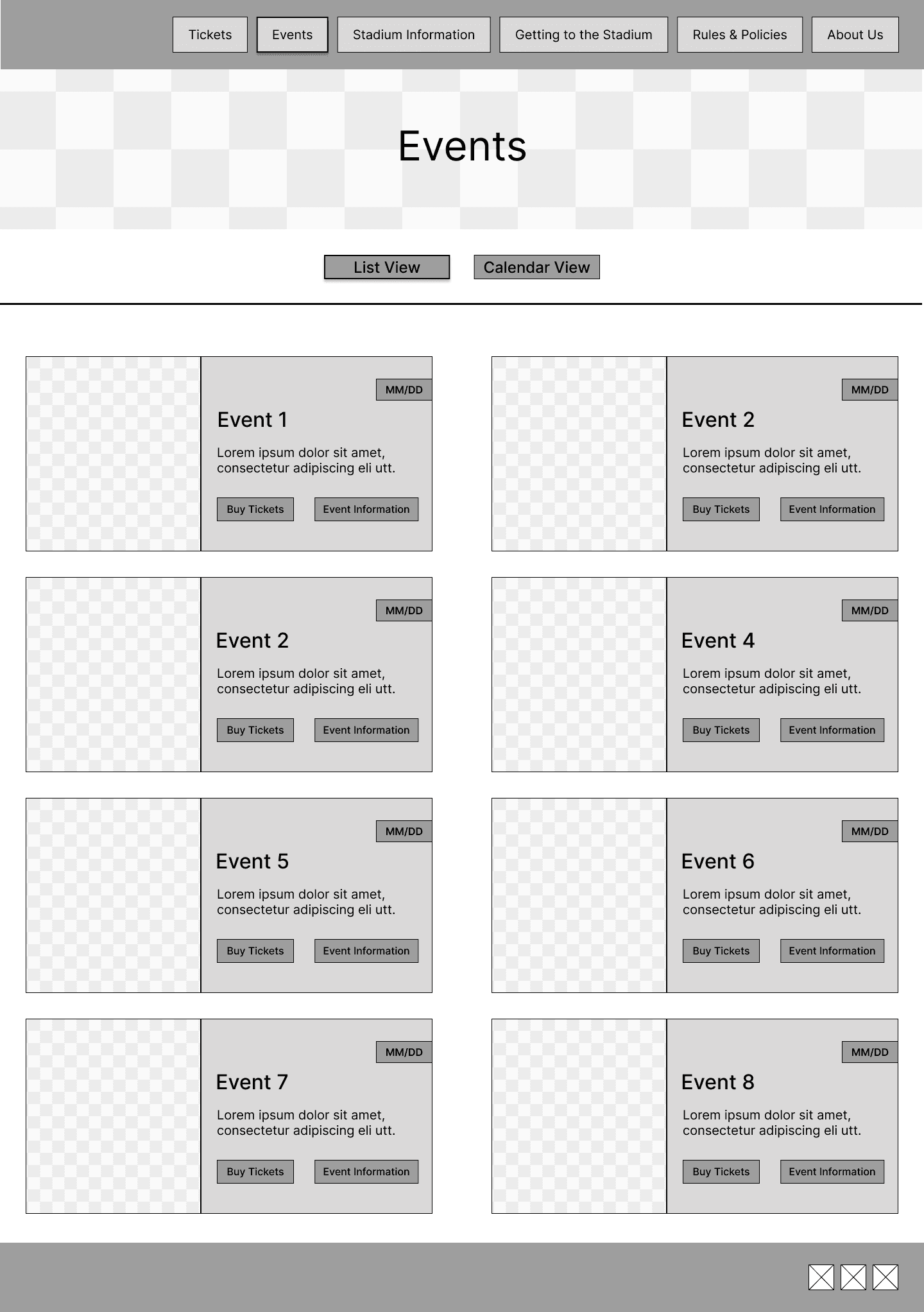
Low-fidelity wireframe of Events page showing List/Calendar view toggle and grid of eight event cards with Buy Tickets and Event Info buttons

Redesign: Events Lo-Fi

CREATING A RESPONSIVE EXPERIENCE

CREATING A RESPONSIVE EXPERIENCE

CREATING A RESPONSIVE EXPERIENCE

From Wireframes to Responsive Prototype

Once we drafted the wireframes using pen and paper, created low-fidelity prototypes, tested them, and developed the high-fidelity prototypes, I added auto-layout to every component and element, making every page responsive.

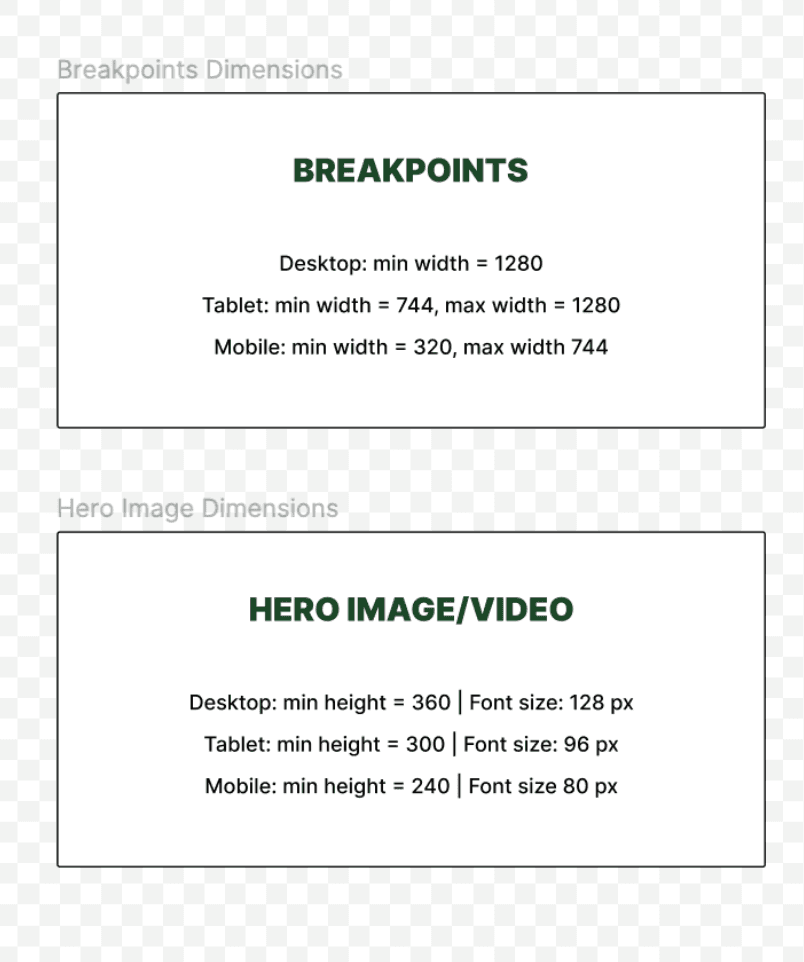
After identifying breakpoints for desktop, tablet, and mobile, I duplicated the screens and set minimum and maximum widths for each screen and adjusted font size, padding, and auto layout direction. For the hero component, I created a standardized height for each screen size.

Breakpoints documentation showing width ranges for desktop, tablet, mobile and hero image minimum heights with corresponding font sizes

Redesign: Breakpoints + Min/Max Height
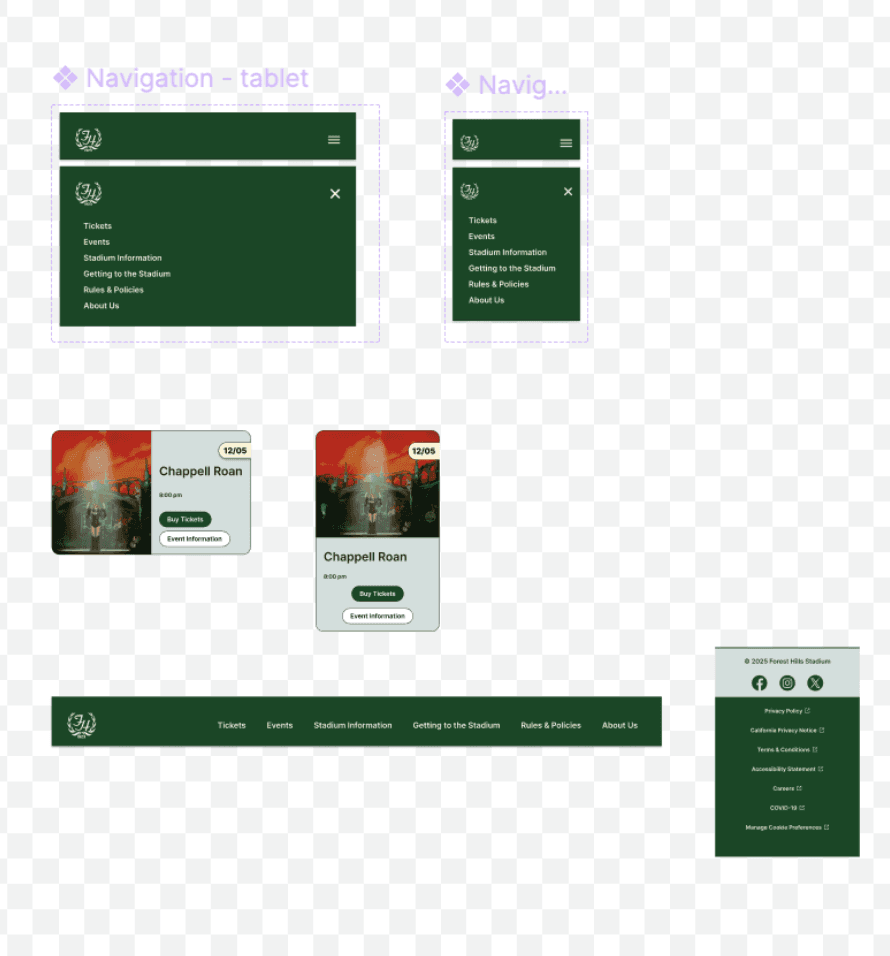
Responsive component versions showing navigation menus for tablet and mobile, event cards, desktop navigation bar, and footer variations

Redesign: Responsive component versions
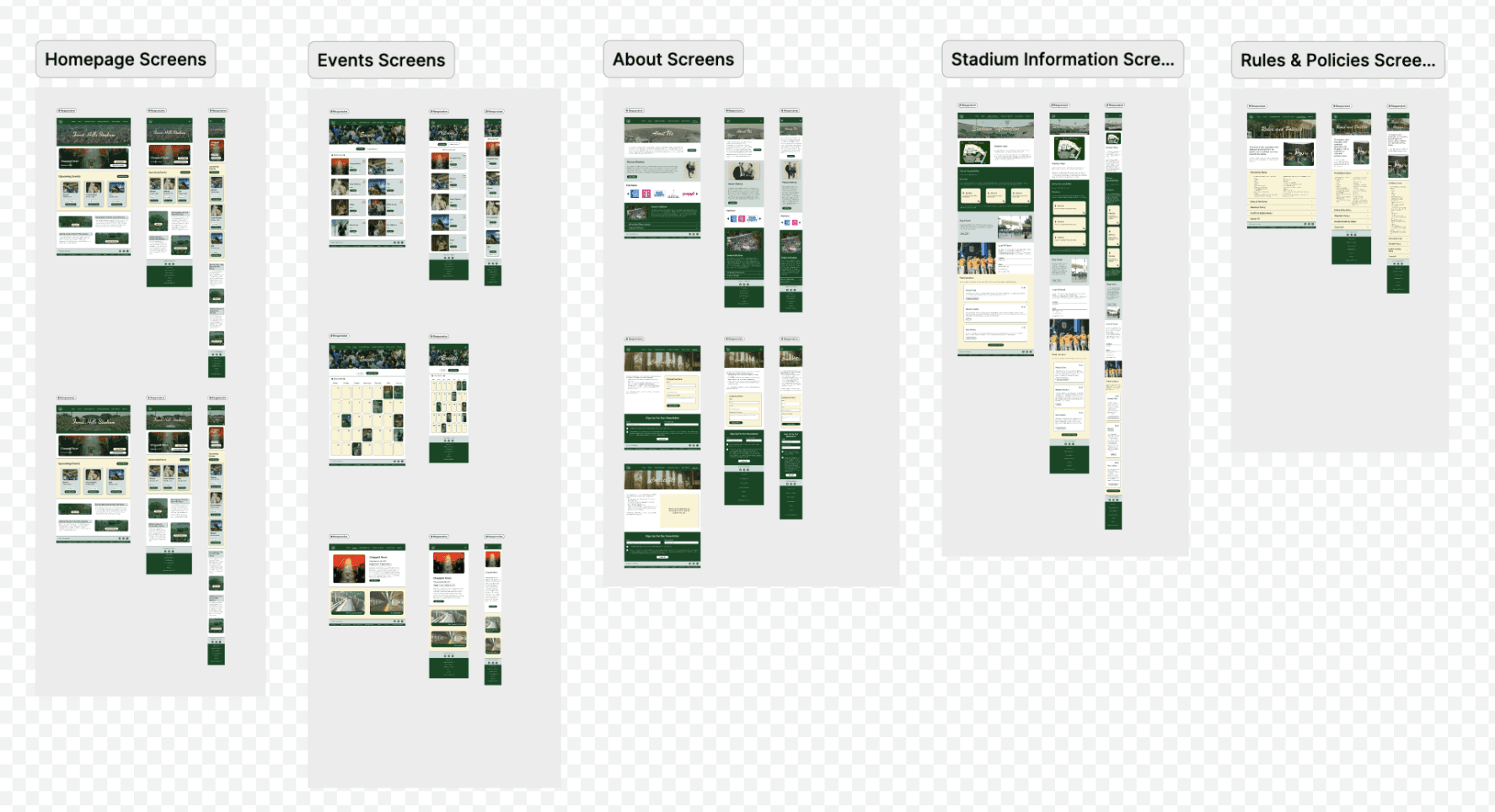
Complete responsive screen mockups organized by section: Homepage, Events, About, Stadium Information, and Rules & Policies in all sizes

Redesign: Responsive Desktop/Tablet/Mobile Screens

WHAT CHANGED

WHAT CHANGED

WHAT CHANGED

Example Scenario: Planning to Attend a Concert

Before

  • Event cards only show Tickets, not event details

  • Event pages provide minimal information

  • Accessibility and parking info is scattered and dense

  • Users leave the site or call the venue out of frustration

After

  • Clear events list-view and calendar-view with visible event information

  • One click to complete, event-specific details

  • Stadium Information surfaces accessibility and parking immediately

  • Users can plan confidently and independently

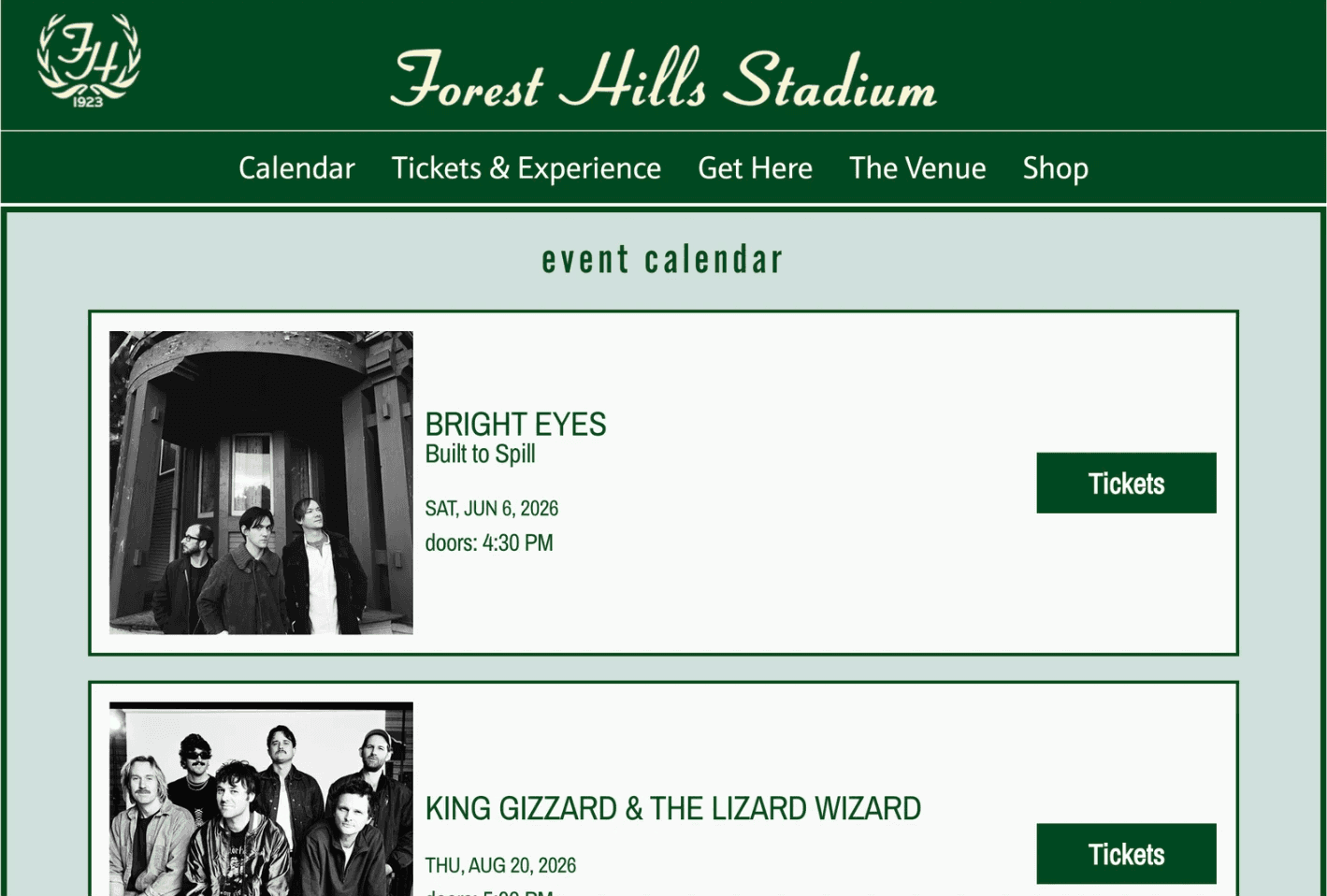
Original Events page showing event calendar with full-width event cards, each with an image and ticket button

Original: Events page (top-half)

Original: Events page (top-half)

Original: Events page (top-half)

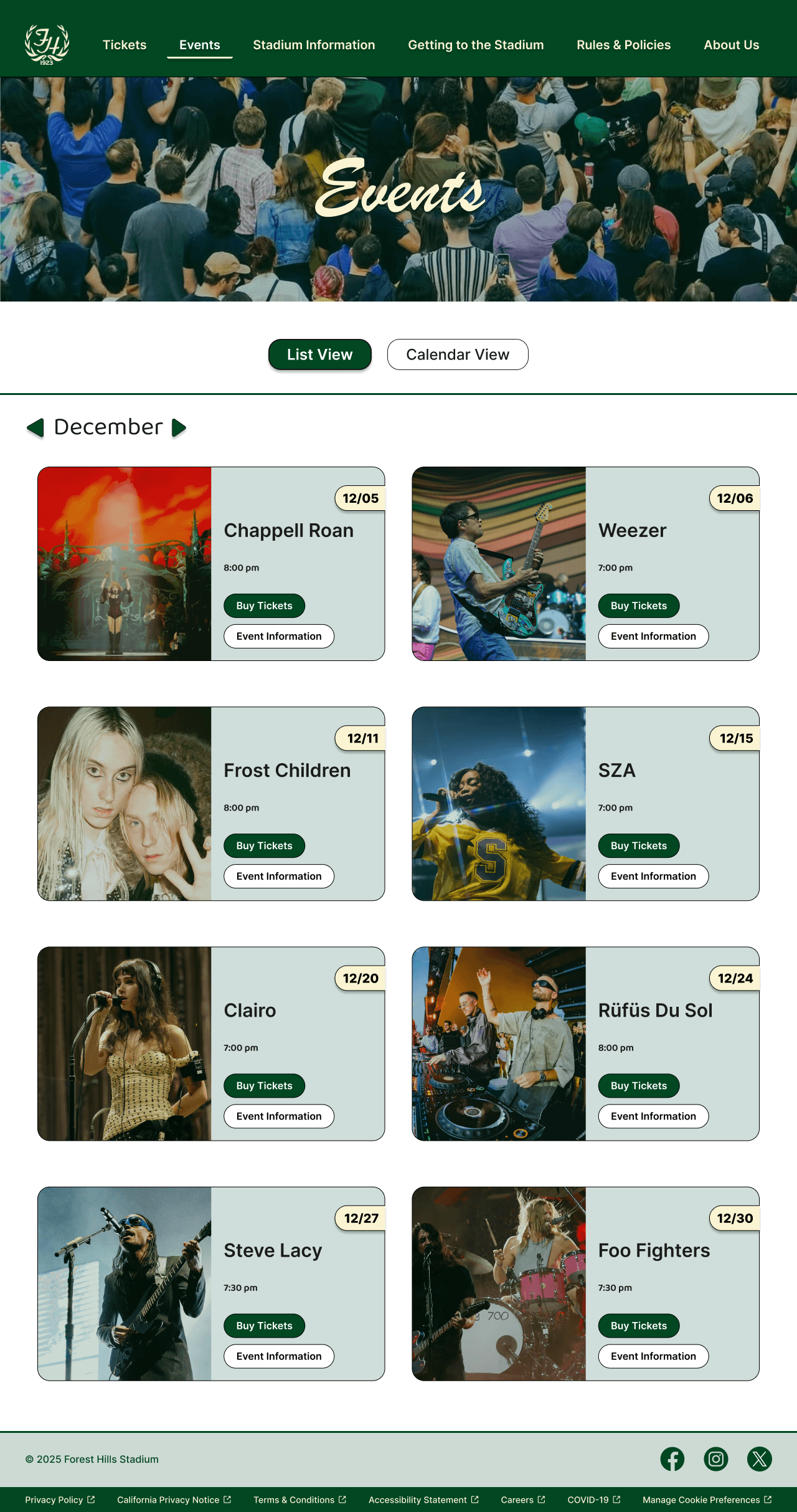
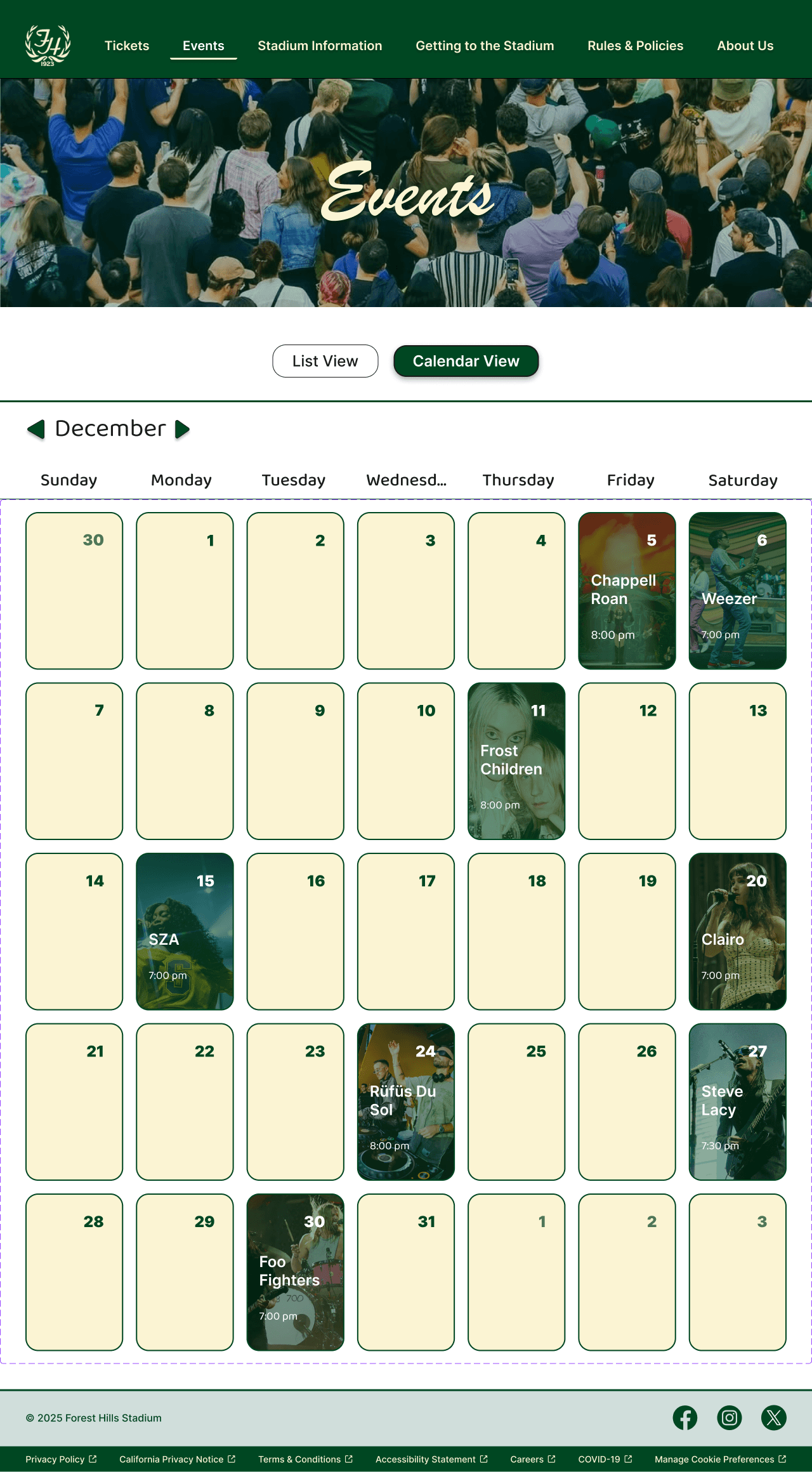
Redesigned Events page in List View showing December events as cards in 2-column grid with dates, times, and ticket/info buttons

Redesign: Events Calendar View

Redesigned Events page in Calendar View showing December month grid with event images on scheduled dates and List/Calendar toggle

Redesign: Events List View

Why It Matters

These might seem like small differences, but it's the difference between someone being able to participate and choosing not to because the barriers are too high. Additionally, it leads to increased usability and decreased frustration. More importantly, every user (regardless of ability) has a clearer, simpler, more intuitive experience.

KEY TAKEAWAYS

KEY TAKEAWAYS

KEY TAKEAWAYS

Beyond Compliance

Accessibility isn’t only about compliance; it’s a way of thinking and a lens that makes every experience better.

When websites are not accessible to users, overall usability is affected. Websites should evolve to meet the needs of the community they serve. When a venue of Forest Hills Stadium’s caliber is not providing an accessible experience, it’s not only bad for business but also excludes and marginalizes a significant portion of its audience.

As Forest Hills Stadium continues to serve the city, a modern, accessible digital presence is essential to ensuring that the community stays connected.

Redesigning with Accessibility Prioritized for a Successful Redesign

Accessibility is a way of asking:

How do we design so everyone can participate?

Who might we be excluding?

Black arrow curving upward and to the left

Especially when designing for a public outdoor music and event venue.

When I asked that question about Forest Hills Stadium, I didn't just find compliance violations. I found structural problems. And fixing them didn't just make the site technically accessible. It made it fundamentally better. Simpler. Clearer. More intuitive.

Design should ask those questions from the start, not add accessibility later. When we redesigned Forest Hills Stadium’s website, we focused on proactive accessibility rather than reactive remediation.

Redesigned Forest Hills Website

Redesigned Forest Hills Website

Redesigned Forest Hills Website

NEXT STEPS

NEXT STEPS

NEXT STEPS

What I'd Do Next

User Testing with Assistive Technology

Conduct usability testing with screen reader users and keyboard-only users to validate accessibility improvements in real-world scenarios.

Ongoing Accessibility Monitoring

Establish automated accessibility testing in the development workflow and schedule regular manual audits to catch issues before they reach users.

Analytics & Iteration

Track user behavior, task completion rates, and accessibility-specific metrics to identify areas for continued improvement.